This document describes an Electronic Speed Controller (ESC) for brushless motors, providing details on its function, technical specifications, usage, and maintenance.
Function Description
The ESC is designed to control the speed of brushless motors in models. It facilitates the connection between the motor and the battery pack, and receives throttle commands from a receiver. The controller is equipped with various protection functions to ensure correct motor start and operation across the entire range of RPM, current, and voltage. It also features automatic turn-off with auto-detection for the number and type of cells, as well as temperature overload protection.
Important Technical Specifications
The manual details three models of ESCs:
-
ESC-18A:
- Size: 48×23×7 mm
- Weight: 21 g
- Current: 18A
- Input: 6-10 Ni-XX or 2-3 Li-XX
- BEC: Yes, 2A
-
ESC-40A:
- Size: 50×25×7 mm
- Weight: 23 g
- Current: 40A
- Input: 6-10 Ni-XX or 2-3 Li-XX
- BEC: Yes, 2A
-
ESC-60A:
- Size: 52×25×8 mm
- Weight: 33 g
- Current: 60A
- Input: 6-16 Ni-XX or 2-6 Li-XX
- BEC: No BEC
The speed controller will automatically turn off the motor when the main power pack voltage falls under specific thresholds: "Ni-XX: 5.3V or reaches 0.7V/cell" or "Li-XX: 6.0V or reaches 3.0V/cell," whichever occurs first. Temperature overload protection is built-in, turning off the motor when the temperature reaches 100°C.
Usage Features
Connections
The ESC can be connected to the motor by direct soldering or using high-quality connectors. New connectors should be carefully soldered and insulated with Heat Shrink Tubing. Cables to the motor battery pack can be extended up to a maximum of 8 inches. Deans Ultra or other high-quality connectors are recommended for the battery pack connection. The 3-pin connector should be plugged into the receiver's throttle channel.
Installation
The speed controller should be installed in the model isolated from vibration and shock, using Velcro or double-sided foam tape. Adequate space for cooling is essential, with air ducted through cooling holes from the outside airflow. Main power packs should be connected in one attempt. The controller should be located to avoid multiple touches of connectors when installing a fresh motor battery pack.
Initial Setup and Operation
- Transmitter Check: Switch on the transmitter and ensure throttle channel settings are +/-100% (for computer radios). For other radios, program the "Servo Reverse" function on the throttle channel. Set the throttle to "closed" or brake position.
- Battery Connection: Connect the battery. For ESCs without BEC, switch on the power to the receiver.
- Confirmation Beep: A 'beep' should be heard. The throttle stick must not be moved between connecting the battery and hearing the 'beep'. If no 'beep' is heard, disconnect power, wait 5 seconds, and repeat.
- Troubleshooting (No Beep): Check if the 3-pin connector is plugged into the throttle channel, if the throttle stick is in the "closed" (OFF) position, and if the throttle channel is in 'normal' position.
- Full Throttle Adjustment: The position of 'full throttle' will be adjusted automatically.
- Safety Warning: Once the motor battery pack is connected, handle the model with extreme care. Ensure everyone is clear of the propeller at all times, as rotating propellers are extremely dangerous. Always connect the motor battery pack just before flight and disconnect it immediately after landing. Even when the transmitter switch is 'off', remember the motor battery pack may be connected, so handle with extreme care and stay clear of the propeller.
Setting the Propeller Brake
The ESC is supplied with the 'brake' activated. To turn off the brake:
- Switch on the transmitter and move the stick to full throttle.
- Connect the main power pack.
- Wait 5 seconds.
- After 5 seconds, you will hear 5 single "beeps."
- Swiftly move the throttle stick to the closed position; you will hear two "beeps."
- The brake is now turned off.
The brake setting will not change after disconnecting the main power pack. When the brake is active, you will hear one 'beep' on startup; when it's off, you will hear two 'beeps'. To reactivate the brake, repeat the procedure.
Setting the Timing Mode
Two timing modes are available:
- Soft Timing: For 2, 4, 6 pole motors, providing maximum efficiency.
- Hard Timing: Only for 6 and more pole motors. Hard timing increases both motor revolutions and current (up to 20%) compared to soft timing, suitable for faster flying models.
Recommendations:
- Always use soft timing for first flights.
- If battery, ESC, and motor temperatures remain below 50°C after initial flights, hard timing can be tested.
- Do not use hard timing with 2-pole motors.
To change timing from the default soft timing:
- Switch on the transmitter and move the stick to full throttle.
- Connect the main power pack and wait 5 seconds.
- After 5 seconds, you will hear 4 "beeps."
- After another 5 seconds, you will hear 5 "beeps" for soft timing, or 5 double "beeps" for hard timing.
- Set the desired timing by moving the throttle stick to the closed throttle position.
- The new timing is confirmed by a single "beep" (brake on) or a double "beep" (brake off).
The timing setting will not change after disconnecting the main power pack.
Notes About Operation
- Motor Direction: Reversing motor direction is achieved by exchanging the position of any two wires connected to the motor.
- Power Source: Do not connect the speed controller to just 'any' kind of power source. Ensure correct polarity for Ni-XX or Li-XX power packs only. Connecting to a battery with wrong polarity will severely damage the speed controller.
Maintenance Features
Environmental Protection Note
When this product reaches the end of its useful life, it must not be disposed of with ordinary domestic waste. The correct disposal method is to take it to a local collection point for recycling electrical and electronic equipment. The symbol on the product, instructions, or packaging indicates this. Individual markings show which materials can be recycled and reused, contributing to environmental protection. Batteries should be removed from the device and disposed of at a local collection point for batteries. For information on the nearest disposal center, contact your local council office.
CE Directives
The products described in this leaflet satisfy the appropriate statutory CE directives:
- EMV directives: 89/336/EEC
- EMV norms: EN55014-1, EN55014-2
Interference or range problems are most likely caused by unsuitable combinations of RC products and/or incorrect installations.
Manufacturer Information:
Changsha KEDA Model, No.597, DeYa Road, KaiFu District, Changsha City, 410003 Hunan Province (China)
Date: 07/2006

 Need help?
 General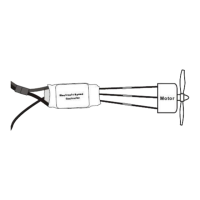

 To Next Page
