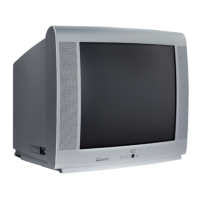
Front/Side (Input) (Models 14F514T, 20V414T, 20V504T, 20F424T, 20F524T,
24V414T and 24V504T only) Thesejacksarelocatedontheside/frontof theTV.
LetsyouconnectdevicesthathavecompositeoutputssuchasVCRs,DVDplayers,
satellitereceivers,cableboxes,videogameconsolesandcamcorders.
• AUDIO-L Providesleftaudioconnection.Theleftaudioconnectorisusually
white.
• AUDIO-R Providesrightaudioconnection.Therightaudioconnectorisusually
red.
• VIDEO Providescompositevideoconnection.Thevideoconnectorisusually
yellow.
Toaccessthedevicewhenusingthesejacks,presstheINPUTbuttononyourremote
untilFRNTappears.
Front Buttons
Thesebuttonsoperatemanyof theTV’sfeatures.Buttonplacementpermodelmayvary.Your
modelhasbuttonslocatedeitheronthefrontortopof theTV.
POWER TurnstheTVonandoff.
SENSOR Receivesinfraredsignalsfromtheremote.
CHANNEL -/+ Scansupanddownthroughthecurrentchannellist.Inthemenusystem,acts
likethedown/uparrowbuttonontheremotecontrol.Usetohighlightitems.
VOLUME -/+ Decreases/increasesthevolume.Inthemenusystem,actsliketheleft/right
arrowbuttonontheremotecontrolandadjustsmenucontrols.
MENU BringsuptheMAIN MENU.Alsotakesyouonemenubackwardinthemenusystem.
TV/VIDEO (Models 13V424T, 14F514T, 20V414T, 20V504T, 20F524T, 24V414T and
24V504T only) ChoosebetweenTVprogrammingandtheAVinput.
Note: If you have model
13V424T, you’ll have two
jacks (Video and L Audio).
Connections & Setup
12 Chapter 1



 To Next Page