28
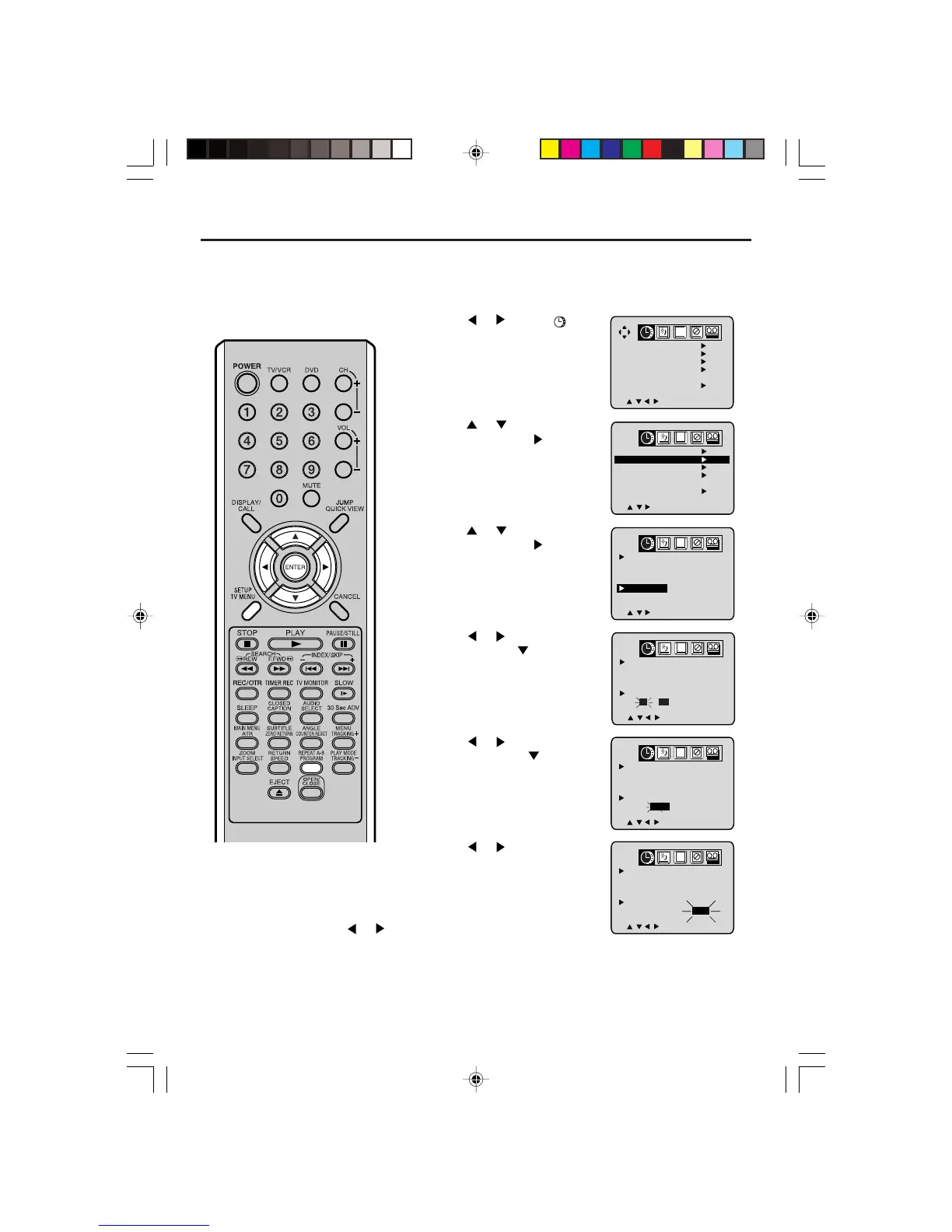
Setting the off timer
NOTES:
• If a station being viewed stops broad-
casting, the TV/VCR/DVD will automati-
cally shut itself off after 15 minutes.
• To cancel the OFF TIMER, follow
above steps 1-6, then press
or
to select “CANCEL”. Press SETUP/TV
MENU to return to the normal screen.
•To confirm the ON/OFF TIMER:
Press PROGRAM twice to indicate the
program on the screen.
EXAMPLE: Tur n ing off the TV at 11:30 PM.
1
Press SETUP/TV MENU in the TV/VCR mode.
The TV/VCR menu screen will appear.
2
Press or to select
option.
3
Press or to select “ON/OFF
TIMER”, then press
.
4
Press or to select “OFF
TIMER”, then press
.
5
Press or to set the desired
hour, then press
.
6
Press or to set the desired
minute, then press
.
7
Press or to select “SET”,
then press ENTER. Press SETUP/
TV MENU repeatedly to return to
the normal screen.
ON TIMER
12 : 00AM
CH 001
SUN-SAT
OFF TIMER
11 : 00PM
CANCEL
CANCEL
CH
////
ENTER/MENU
ON TIMER
12 : 00AM
CH 001
SUN-SAT
OFF TIMER
11 : 30PM
CANCEL
CANCEL
CH
////
ENTER/MENU
ON TIMER
12 : 00AM
CH 001
SUN-SAT
OFF TIMER
11 : 30PM
CANCEL
SET
CH
////
ENTER/MENU
ON TIMER
12 : 00AM
CH 001
SUN-SAT
OFF TIMER
12 : 00AM
CANCEL
CANCEL
CH
///
MENU
CLOCK SET
ON/OFF TIMER
AUTO CLOCK
STANDARD TIME
DAYLIGHT
SAVING TIME
ON
CH
////
MENU
CLOCK SET
ON/OFF TIMER
AUTO CLOCK
STANDARD TIME
DAYLIGHT
SAVING TIME
ON
CH
///
MENU
This feature allows you to have the
TV/VCR/DVD turn off automatically
at a predetermined time. If you
program the OFF TIMER once, the
TV/VCR/DVD will automatically turn
off at the same time everyday.
5V40101C [E] P26-29 15`03`06, 11:0028



 To Next Page