Connecting HDMI device (Best Video Quality)
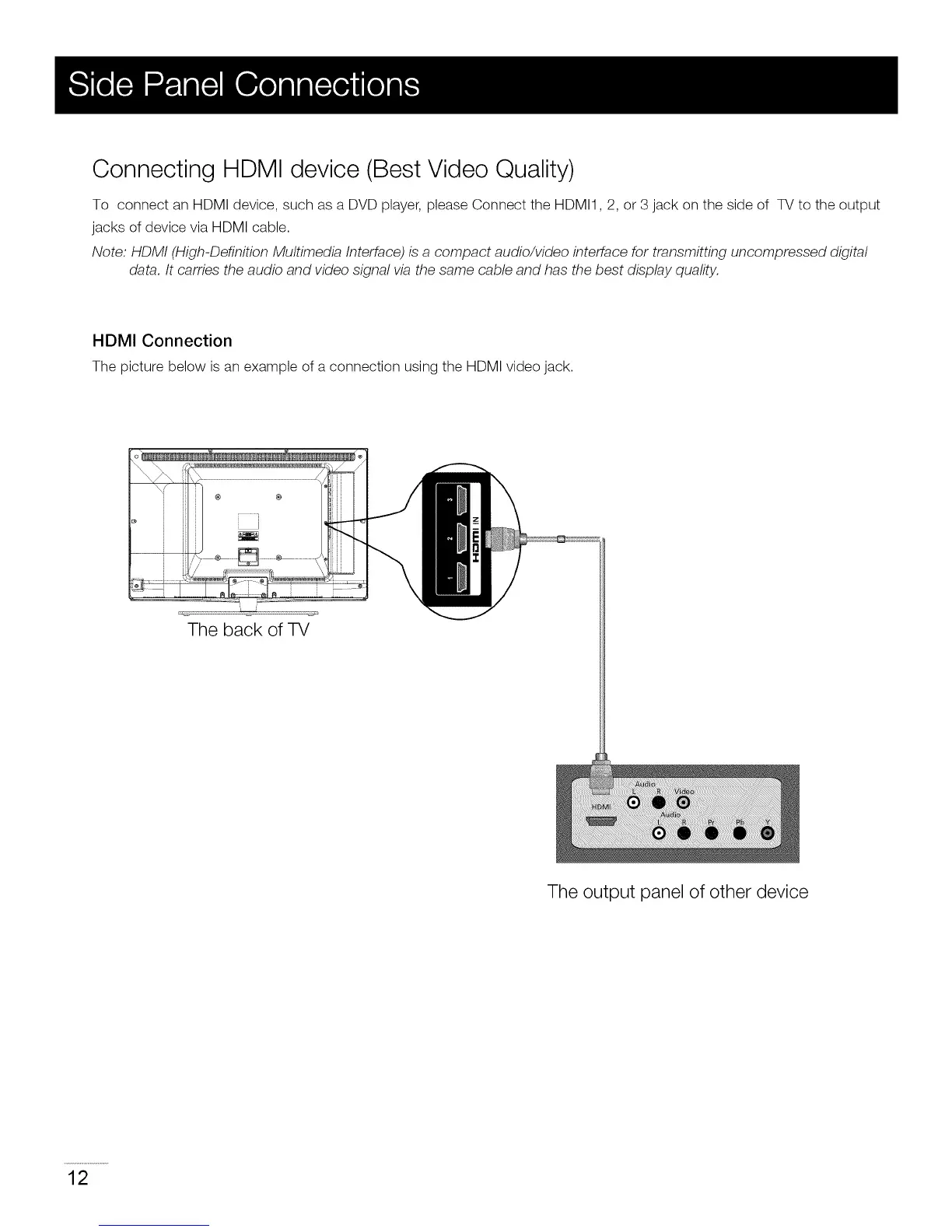
To connect an HDMI device, such as a DVD player, please Connect the HDMI1,2, or 3 jack on the side of TV to the output
jacks of device via HDMI cable.
Note: HDMI (High-Definition Multimedia Interface) is a compact audio/video interface for transmitting uncompressed digital
data. It carries the audio and video signal via the same cable and has the best display quality.
HDMI Connection
The picture below is an example of a connection using the HDMI video jack.
The back of TV
The output panel of other device
12


 To Next Page