Settings the HDMI interface
Your device's resolution supports
s6IDEO2ESOLUTIONSUPTOP
s.ONVIDEO2ESOLUTIONUPTOP
Note:
s)TMAYTAKESOMETIMETOPLAYMEDIAlLESDEPENDING
on the display device connected.
s&ILESMAYNOTBEPLAYEDPROPERLYWHENUSINGACABLE
ORDISPLAYDEVICETHATISNOT($-)CERTIlED
s4HEIMAGEORIENTATIONSETONYOURTABLETMAYBE
landscape-only. Therefore, the image orientation may
not be changed by rotating the tablet.
s9OURTABLETMAYAUTOMATICALLYADJUSTTHEOUTPUT
resolution according to the resolution of the connect
display device
s$URING($-)CONNECTIONVIDEOPLAYBACKISONLY
visible on the display device.
Section 02: Understanding your device
15
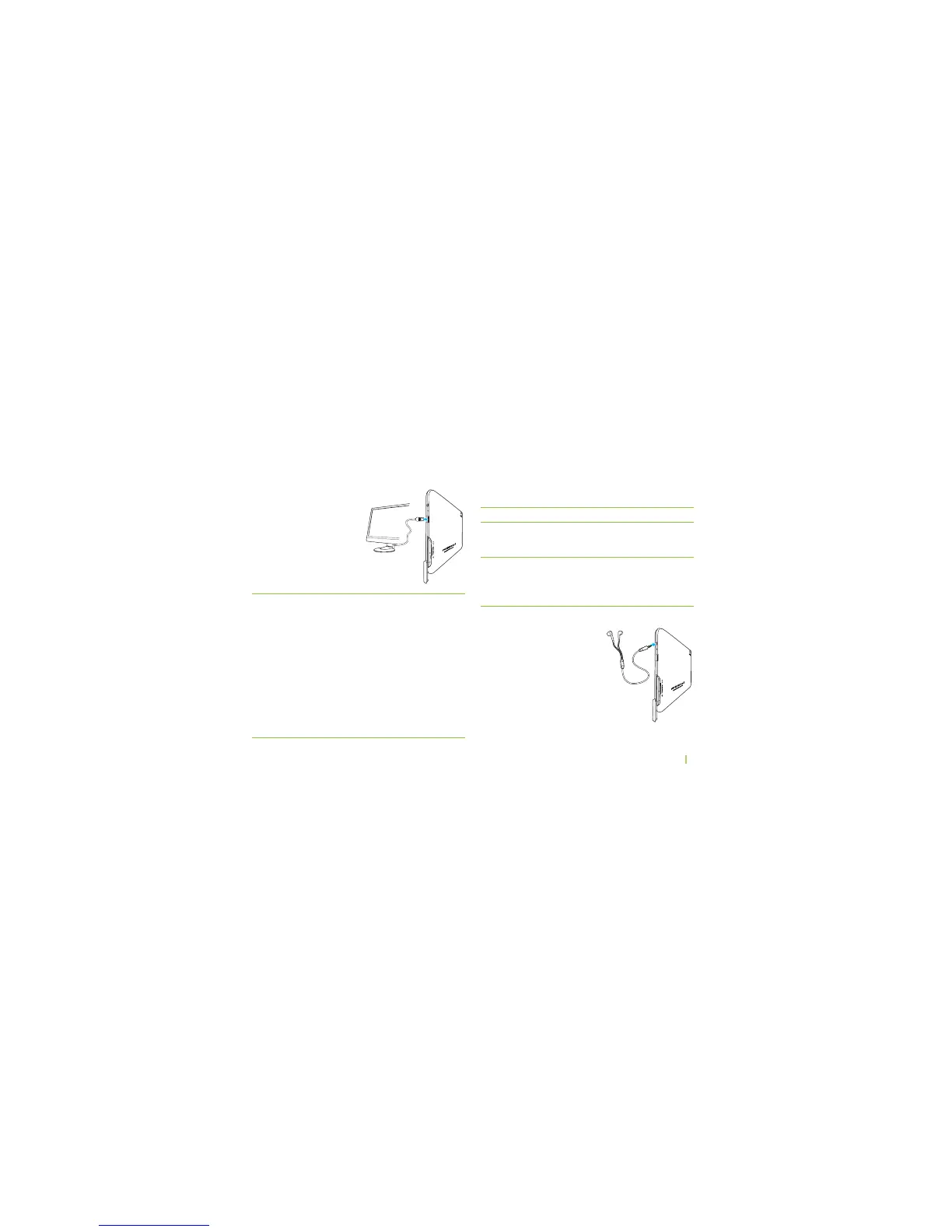
HDMI Connection
#ONNECTAN($-)CABLE
(not included) to the
DEVICES($-)0ORTAND
($46gS($-)0ORT
To...
...set video output
type
SET($-)RESOLUTION
You should...
...touch Settings > Display >
Output Settings > Output type
> LCD or HDMI
...touch Settings > Display >
Resolution > Auto Detect /
1920 x 1080p 60 Hz/1280 x
720p 60Hz
Headphones
Plug in headphones (not
included) into the headphone
jack to listen to music.



 To Next Page