Quick Guide to Your TV
Menu Basics
General information about using the on-screen menu system is shown
below. Details on using the remote buttons are on page 6. Many menu items
are explained in detail in Adjusting Your TV starting on page 7 and Using the
Advanced Features starting on page 11.
Colors
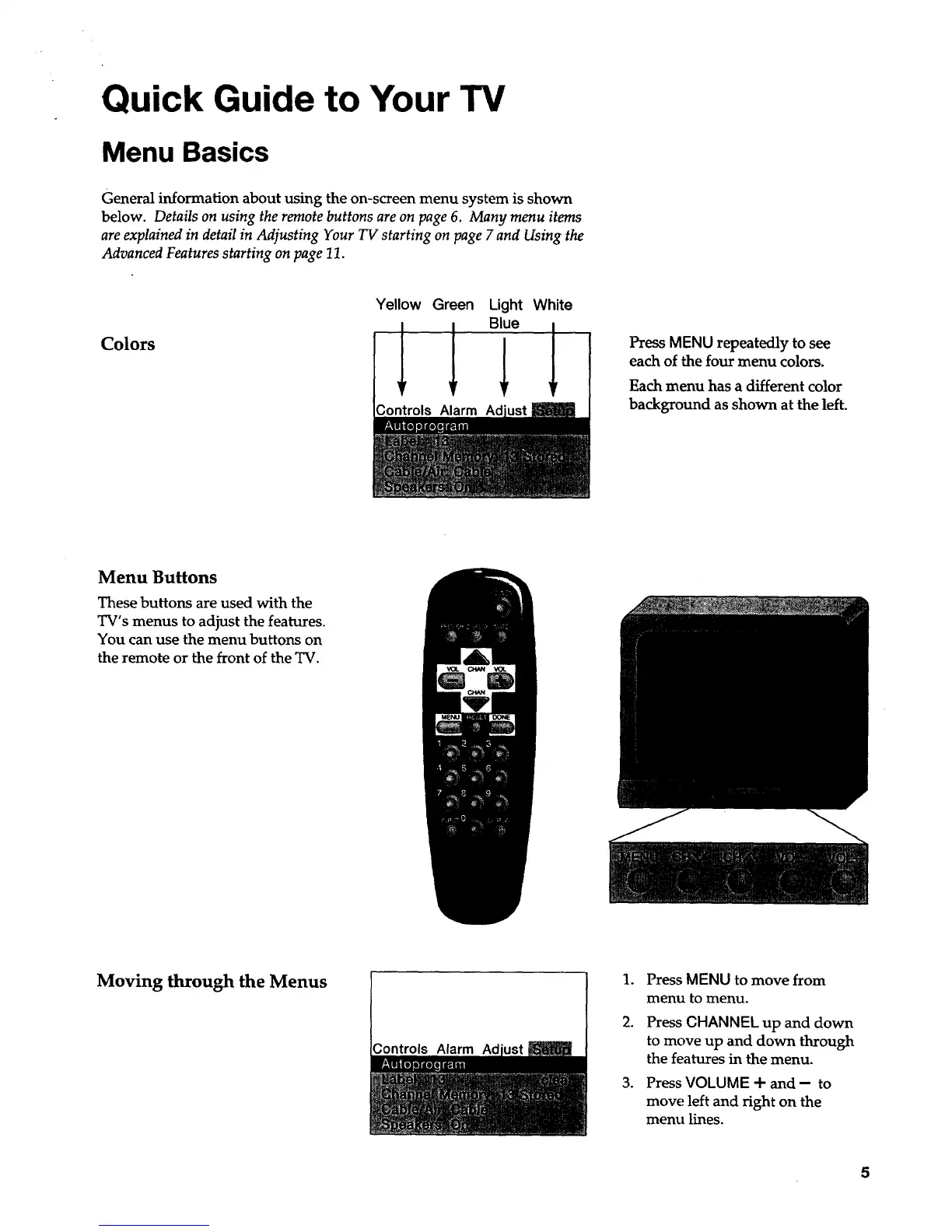
Yellow Green
I I
Light
Blue
;ontrols Alarm Adjustj_
White
Press MENU repeatedly to see
each of the four menu colors.
Each menu has a different color
background as shown at the left.
Menu Buttons
These buttons are used with the
TV's menus to adjust the features.
You can use the menu buttons on
the remote or the front of the TV.
Moving through the Menus
.
2.
',ontrols Alarm A_djd'ust
°
Press MENU to move from
menu to menu.
Press CHANNEL up and down
to move up and down through
the features in the menu.
Press VOLUME + and - to
move left and right on the
menu lines.
5



 To Next Page