Chapter 2 13
Using the Remote Control
Graphics contained within this publication are for representation only.
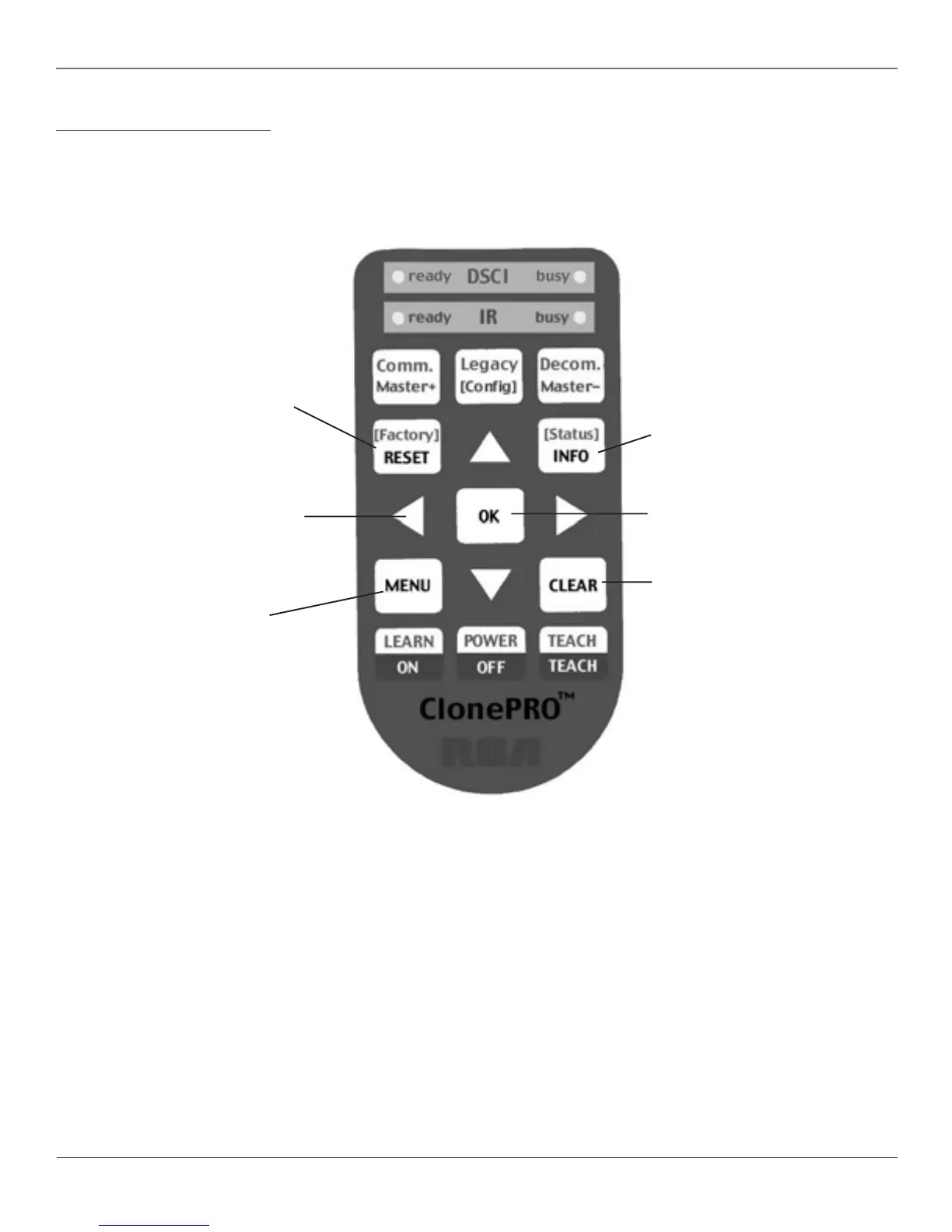
ClonePRO™ Remote Buttons
The ClonePRO can be used as a master remote. Some of the buttons only apply when using the ClonePRO download or
upload information to or from a TV. Those buttons are described in Chapter 4.
RESET Returns the picture to the original
settings and displays the Picture Presets
choice list.
INFO Displays channel information.
OK Press OK to select a menu item that is
highlighted.
Arrow buttons (up, down, left, right) Use
to move through the on-screen menus. When
a menu isn’t displayed, the up and down
arrows scan the channel list. The left and
right arrows decrease or increase the TV’s
volume, unless Volume Hold is enabled. Go to
Chapter 1 for more information on Volume
Hold.
MENU Displays the TV’s Main menu.
CLEAR Removes any menu or display from
the screen and returns you to TV viewing.



 To Next Page