EasyManua.ls Logo

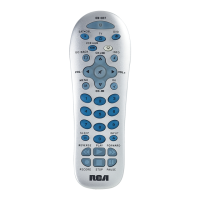
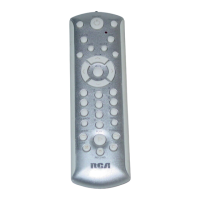
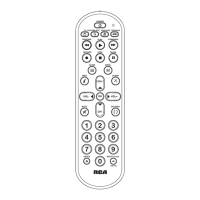
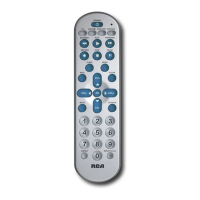
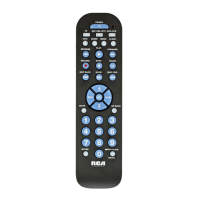
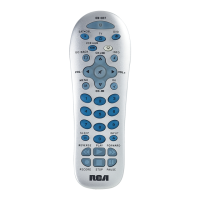
RCA RCR412S - User Manual

RCA RCR412S
21 pages
Print Icon
To Next Page IconTo Next Page
Loading...
universal
UNIVERSAL
Multi-Brand Use
Utilisation multimarque
Funciona con muchas marcas
See back for most popular brands.
Liste complète au verso.
Para obtener una lista más
extensa, vea el reverso.
Compatible with today’s
most popular brands.
Compatible avec
les marques les plus
populaires actuelles.
Compatible con las
más populares marcas
de la actualidad.
Multi-purpose VCR·AUX
key can be programmed to
control any video component
Dedicated MENU key
for DVD navigation
Touche VCR·AUX multifonction
pouvant être programmée pour
commander tout appareil vidéo
Touche MENU dédiée
pour la navigation DVD
La tecla multiuso VCR•AUX
puede ser programada
para controlar cualquier
componente de video
La tecla dedicada del MENU
soporta la navegación del DVD
remote
télécommande
control remoto
Remote
Télécommande
Control Remoto
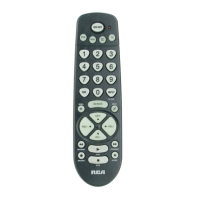
RCR412S
RCR412S_NA_IB_REVA.qxd 5/21/04 1:03 PM Page 1

Questions and Answers

  • A
    Andrea MorganJul 28, 2025
    How to make RCA RCR412S operate my component?
    • M
      Molly ClarkJul 29, 2025
      To ensure your RCA Universal Remote operates the desired component, first press the corresponding component key (TV, DVD, VCR·AUX, SAT·CBL). This action puts the remote in the correct mode, signaling which component you intend to control. Also, ensure there are no obstructions between the remote and the component, and aim the remote directly at the component's IR sensor.
  • D
    David ThompsonAug 2, 2025
    Why is my RCA RCR412S not performing commands properly?
    • J
      Jordan JohnsonAug 2, 2025
      To resolve this, ensure the RCA Universal Remote is in the correct mode by pressing the appropriate component key (TV, DVD, VCR·AUX, SAT·CBL). Additionally, confirm that the component is ready for the command (e.g., a DVD player should have a disc loaded, and a VCR should have a tape loaded). If operating an RCA, GE, or PROSCAN component, use the component key instead of the ON·OFF key.
  • G
    gregory94Aug 6, 2025
    What to do if RCA RCR412S will not change channels on component?
    • J
      Jessica WheelerAug 6, 2025
      To resolve the issue of the RCA Universal Remote not changing channels, ensure that the remote is in the correct mode by pressing the corresponding component key (TV, DVD, VCR·AUX, SAT·CBL). Additionally, after entering the channel number, press the OK key. Also, make sure there are no obstacles between the remote and the component, and aim the remote at the IR sensor on the component.
  • S
    Sarah MartinAug 10, 2025
    Why won’t my VCR record with RCA Universal Remote?
    • D
      Donald CrawfordAug 10, 2025
      To address this, first, make sure the RCA Universal Remote is in VCR Mode. Next, ensure the tape is properly loaded into the VCR. Finally, verify that the tape is not write-protected, as tapes with the safety tab removed cannot be recorded onto.
  • J
    jodybellAug 15, 2025
    Why does the illuminated ON·OFF key not light up on my RCA Universal Remote?
    • L
      Lauren HillAug 15, 2025
      If the illuminated ON·OFF key on your RCA Universal Remote doesn't light up when you press a key, it might be due to pressing an invalid key for the current mode. Also, ensure the batteries are fresh and properly installed. If necessary, replace them with two new AA batteries. Reprogramming may be required.
  • E
    Erin NelsonAug 19, 2025
    Why RCA RCR412S Universal Remote can’t be programmed to operate my component?
    • C
      cortezwandaAug 19, 2025
      If you are having trouble programming your RCA Universal Remote, make sure that you are not too far from the component or at a wrong angle. This remote uses IR (infrared) technology to communicate with components. If you’ve used the Direct Entry programming methods to enter the codes for your brand and the unit is still not functioning properly, try one of the Code Search methods. To control combo units, like TV/VCRs, TV/DVDs or TV/VCR/DVDs, you must program the individual corresponding component keys to control each part of the combo unit. Also, make sure the batteries are fresh and are properly installed.
  • P
    Patricia LewisAug 23, 2025
    What to do if component’s menu does not appear on the TV screen with RCA RCR412S Universal Remote?
    • D
      Douglas WangAug 23, 2025
      To fix the issue where the component’s menu does not appear on the TV screen when using your RCA Universal Remote: * Ensure that you have properly connected your component to your TV and selected the correct input. * Put the remote in the correct mode by pressing the corresponding component key (TV, DVD, VCR·AUX, SAT·CBL) so the remote knows which component you want to operate. If the problem persists, note that menu access isn’t supported for all brands, and you may need to use your original remote control to access menu functions for these components.

Summary

Remote Setup and Features

Battery Installation and Information

Instructions for installing and information about the required AA batteries.

Battery Saver and Backlighting Features

Details on the remote's automatic power-off feature and key illumination.

Illuminated ON-OFF Key Functionality

Explanation of the ON-OFF key's role as a power control and indicator.

Remote Programming Procedures

Overview of Programming Methods

Introduction to the four methods for programming the remote to control components.

Brand Code Search and Entry Method

Step-by-step guide to program the remote using brand-specific codes from the list.

Direct Code Entry Method

Instructions for programming the remote using four-digit codes for components.

Manual Code Search and Entry Method

Procedure to search manually through codes when brand is not listed or codes fail.

VCR-AUX Key Programming for Other Components

Guide to pre-program the VCR-AUX key for components other than a VCR.

Auto Code Search and Entry Method

Process to automatically search all codes in the list to operate the component.

Testing for Maximum Functionality

How to test programmed codes to ensure all component functions are controlled.

Advanced Operations and Utilities

Code Retrieval Process

Instructions on how to retrieve and record programmed remote control codes.

On-screen Menu Operations

How to access and navigate component on-screen menus using the remote.

Sleep Timer and Troubleshooting

Sleep Timer Functionality

Explanation and programming guide for the automatic TV shut-off timer.

Troubleshooting Common Problems

Solutions for issues like remote not operating, programming failures, or command errors.

RCA RCR412S Specifications

General IconGeneral
BrandRCA
ModelRCR412S
CategoryUniversal Remote
LanguageEnglish

Related product manuals