EasyManua.ls Logo

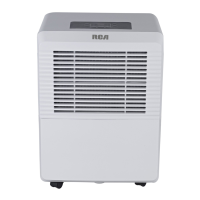
RCA RDH505 - User Manual

RCA RDH505
7 pages
Print Icon
To Next Page IconTo Next Page
Loading...
The design and specifications are subject to change without prior notice for
product improvement. Consult with the sales agency or manufacturer for details.
Before operating this product, please read the instructions
carefully and save this manual for future use.
DEH
UM
I
DIFIE
R
RDH505
RDH705

Questions and Answers

  • R
    Robert DavisJul 27, 2025
    What to do if my RCA Dehumidifier does not start?
    • C
      christopher93Jul 27, 2025
      If your RCA Dehumidifier isn't starting, ensure the plug is fully inserted into the outlet. Also, check your house's fuse or circuit breaker. The dehumidifier might have reached its preset level, or the bucket could be full or not properly positioned.
  • M
    Michael HansenAug 1, 2025
    Why is there water on the floor near my RCA Dehumidifier?
    • T
      Taylor WallaceAug 2, 2025
      If you find water on the floor near your RCA Dehumidifier, check and tighten the hose connections, as the hose to connector or the hose connection may be loose. If you intend to use the bucket to collect water, make sure the back drain plug is securely in place.
  • J
    John PatrickAug 8, 2025
    How to improve the drying performance of my RCA Dehumidifier?
    • J
      Jeremy CookAug 8, 2025
      If your RCA Dehumidifier isn't drying the air as expected, try these steps: * Adjust the humidity control to a lower setting. * Increase the room temperature if it's below 5°C (41°F). * Ensure all doors, windows, and openings are securely closed. * Remove any sources of water vapor, such as kerosene heaters.
  • L
    Lisa SimmonsAug 14, 2025
    Why is my RCA Dehumidifier making a loud noise?
    • S
      sarahleeAug 14, 2025
      A loud noise from your RCA Dehumidifier could be due to a few reasons: * The air filter might be clogged, so clean or replace it. * The unit may be tilted; ensure it's upright. * The floor surface might not be level, so place the unit on a level surface.
  • E
    Elizabeth FloresAug 19, 2025
    Why does frost appear on the coils of my RCA Dehumidifier?
    • B
      Brianna DuranAug 20, 2025
      This is normal. The RCA dehumidifier has an auto defrost feature.

Summary

Sociable Remark

Disposal Information

Instructions for proper disposal of the dehumidifier in European countries, emphasizing separate collection.

Safety Precautions

Symbol Meanings and General Warnings

Explains warning/caution symbols and general safety advice for appliance operation.

Appliance Usage by Children and Persons with Reduced Capabilities

Guidelines for safe use by children and individuals with physical or mental limitations, requiring supervision.

Electrical Safety and Usage

Covers proper electrical connection, grounding, outlet usage, and cord safety.

Operational and Placement Safety

Details safe operation practices, placement, handling of water, and filter maintenance.

Environmental and Special User Safety

Addresses safety for specific environments and vulnerable user groups like children and the elderly.

Manual Guidance

Control Panel Overview

Display and Indicator Lights

Explains the digital display functions, error codes, and indicator lights like Clean Filter.

Control Pad Functions

Details the function of each control pad: Power, Filter, Fan, Continue, Timer, and Humidity Set pads.

Dehumidifier Features

Bucket Full and Auto Shut Off

Describes the bucket full indicator, auto shut off mechanism, and auto defrost feature.

Timer and Auto-Restart Functionality

Explains how to set the auto start/stop timer and the auto-restart function after power interruptions.

Component Identification

Front and Rear Parts

Identifies the various parts visible on the front and rear of the dehumidifier unit.

Included Accessories

Lists the accessories provided with the dehumidifier, such as drain hose and adaptor.

Operating the Unit

Unit Positioning Guidelines

Provides instructions on where and how to position the dehumidifier for optimal performance and safety.

Initial Operation and Setup

Details initial operating procedures, including continuous operation, temperature ranges, and power connection.

Removing Collected Water

Explains the two methods for removing collected water: using the bucket or continuous draining.

Care and Maintenance

Cleaning the Grille and Case

Instructions for cleaning the exterior parts of the dehumidifier with water and mild detergent.

Cleaning the Bucket and Air Filter

Guidance on regularly cleaning the water bucket and air filter to maintain performance and prevent mold.

Long-Term Storage Procedures

Steps for storing the dehumidifier when not in use for extended periods, including cleaning and covering.

Troubleshooting Tips

Troubleshooting Common Problems

Provides solutions for common issues like unit not starting, poor drying, noise, frost, and water leaks.

Error Code Display

Explains the meaning of error codes (ES, AS, P2, EC) displayed on the unit and where to find more information.

RCA RDH505 Specifications

General IconGeneral
ModelRDH505
Energy Star RatedYes
Coverage Area3000 sq ft
TypeDehumidifier
Moisture Removal Capacity50 Pint
Water Tank Capacity16 pints
Operating Temperature Range41°F - 89.6°F
Humidity ControlAdjustable Humidistat