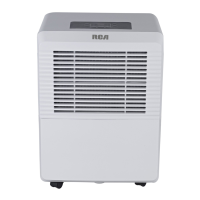
This document is an owner's manual for a dehumidifier, specifically models WDK30AE7N and WDK50AE7N. It provides comprehensive information on the device's function, safety precautions, operation, maintenance, and troubleshooting.
Function Description
The dehumidifier is designed to remove excess moisture from the air, helping to maintain a comfortable and healthy indoor environment. It operates by drawing in humid air, passing it over cooling coils to condense the moisture, and then releasing drier air back into the room. The collected water is stored in a water bucket, which needs to be emptied periodically, or it can be continuously drained through a hose. The device features various operating modes and settings to control humidity levels and fan speed.
Important Technical Specifications
While specific numerical technical specifications like capacity (e.g., pints per day) are not explicitly listed in the provided pages, the model numbers (WDK30AE7N, WDK50AE7N) likely indicate different capacities, with WDK50AE7N presumably having a higher capacity than WDK30AE7N.
Key operational parameters mentioned include:
- Humidity Setting Range: The humidity level can be set between 35%RH (Relative Humidity) to 85%RH (Relative Humidity) in 5% increments.
- Temperature Range for Operation: The unit is designed to operate within a working environment between 5°C/41°F and 35°C/95°F.
- Power Cord: The power cord is equipped with a three-prong grounding plug for protection against shock hazards.
- Electrical Information: The manufacturer's nameplate on the rear panel of the unit contains electrical and other technical data specific to this unit.
- Receptacle: A properly grounded wall receptacle is required. If the wall receptacle you intend to use is not adequately grounded or protected by a time delay fuse or circuit breaker, a qualified electrician must install the proper receptacle.
- Extension Cords: Do not use extension cords or an adapter plugs with this unit.
Usage Features
The dehumidifier offers a range of features for user convenience and control:
- Control Panel: The unit features a control panel with various buttons and indicator lights:
- POWER Button: Turns the dehumidifier on or off.
- CONT Button (Continuous Dehumidification): Activates continuous dehumidification, regardless of the set humidity level.
- Timer On/Off Indicator Light: Indicates when the timer function is active.
- Timer Button: Sets the auto start and auto stop times.
- Fan Button: Selects fan speed (High or Normal).
- Up/Down Pads (∧/∨): Adjusts humidity settings and timer values.
- Bucket Full Indicator Light: Illuminates when the water bucket is full and needs to be emptied.
- Filter Indicator Light: Reminds the user to clean the air filter.
- High/Low Fan Indicator Lights: Show the current fan speed setting.
- Humidity Set Control Pads: Allows users to set the desired humidity level between 35%RH and 85%RH in 5% increments.
- Timer Settings: The timer can be set for auto start and auto stop operations, with a range from 0.0 to 24 hours in 0.5-hour increments for the first 10 hours, then 1-hour increments up to 24 hours.
- Auto-Restart: If the unit breaks off unexpectedly due to power cut, it will restart with the previous function setting automatically when the power resumes.
- Auto Defrost: The unit automatically defrosts when frost builds up on the evaporator coils, ensuring efficient operation.
- Bucket Full Shut-Off: The dehumidifier automatically shuts off when the bucket is full or removed, preventing overflow.
- Continuous Draining: The unit can be set up for continuous drainage using a drain hose, eliminating the need to manually empty the water bucket. This involves attaching a drain hose to the drain hose outlet and ensuring proper sloping for gravity drainage.
- Positioning: The unit should be placed on a smooth, level floor strong enough to support the unit with a full bucket of water. It should be positioned at least 20cm (8 inches) from all sides of the unit for good air circulation. For optimal performance, it should be placed in an area where the temperature will not fall below 5°C (41°F).
- Casters: The unit is equipped with casters for easy movement, but care should be taken not to move it over carpet or with a full water bucket.
Maintenance Features
Regular maintenance is crucial for the dehumidifier's longevity and efficient operation:
- Cleaning the Grille and Case: The exterior should be cleaned with water and a mild detergent. Do not use bleach or abrasives. The air intake and outlet grilles should be vacuumed or brushed to clean.
- Cleaning the Bucket: The water bucket should be cleaned every few weeks to prevent growth of mold, mildew, and bacteria. It can be washed with warm water and a mild detergent, then rinsed and dried. It is not dishwasher safe.
- Cleaning the Air Filter: The air filter should be cleaned every two weeks under normal operating conditions. This involves removing the filter from the top of the unit, pulling the bucket, then pulling the filter downwards. The filter can be washed with clean water and then dried. The filter indicator light will illuminate after 250 hours of operation to remind the user to clean the filter. After cleaning, the filter light will go off.
- Long Time Periods of Non-Use: Before storing the unit for an extended period, it should be turned off, the bucket emptied, the unit and bucket cleaned, the cord and bundle wrapped, and the unit covered with a plastic bag and stored upright in a dry, well-ventilated place.
Safety Precautions
The manual emphasizes several safety precautions to prevent injury to the user or other people and property damage:
- Electrical Safety:
- Do not exceed the rating of the power outlet or connection device.
- Do not operate or stop the unit by switching on or off the power.
- Do not damage or use an unspecified power cord.
- Do not modify power cord length or share the outlet with other appliances.
- Do not insert or pull out plug with wet hands.
- Do not place the unit near a heat source.
- Disconnect the power if strange sounds, smell, or smoke comes from it.
- Before cleaning, turn off the power and unplug the unit.
- Unit Placement and Operation:
- Do not use the unit in small spaces.
- Do not put in places where water may splash onto the unit.
- Place the unit on a level, sturdy section of the floor.
- Lack of ventilation can cause overheating and fire.
- Do not use the unit near flammable gas or combustibles, such as gasoline, benzene, thinner, etc.
- Do not drink or use the water drained from the unit.
- Do not use in areas where chemicals are handled.
- Never insert your finger or other foreign objects into grills or openings.
- Do not climb up on or sit on the unit.
- Always hold the filters securely.
- Operation without filters may cause failure.
- Children and Vulnerable Persons: This appliance can be used by children aged from 8 years and above and persons with reduced physical, sensory or mental capabilities or lack of experience and knowledge if they have been given supervision or instruction concerning use of the appliance in a safe way and understand the hazards involved. Children should not play with the appliance. Cleaning and user maintenance shall not be made by children without supervision.
- Professional Service: If water enters the unit, turn the unit off and disconnect the power, contact a qualified service technician. If the supply cord is damaged, it must be replaced by the manufacturer, its service agent or similarly qualified persons in order to avoid a hazard. The appliance shall be installed in accordance with national wiring regulations. The appliance with electric heater shall have at least 1 meter space to the combustible materials. Contact the authorised service technician for repair or maintenance of this unit.

 Need help?
 General

 To Next Page