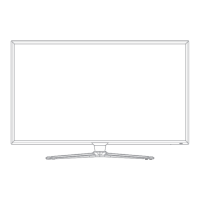
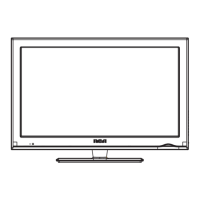
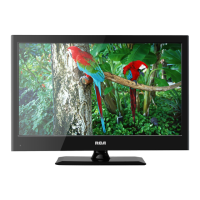
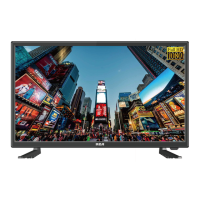
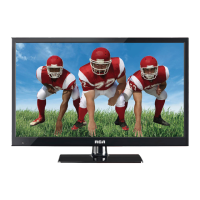
This document describes the RCA RLED4910, a 49-inch LED TV designed for home entertainment. It functions as a display for various video sources and includes features for audio output, channel management, and picture customization.
Function Description:
The RCA RLED4910 is primarily a television set capable of displaying video from multiple input sources and outputting audio. It supports both over-the-air (antenna) and cable/satellite TV signals, as well as external devices like DVD players, game consoles, and PCs. The TV includes an on-screen display (OSD) menu for configuring settings related to picture, sound, time, setup, and parental controls.
Important Technical Specifications:
- Model: RLED4910
- Panel Type: LED Panel
- Diagonal Size: 49 inches
- Screen Format: 16:9
- Resolution: 1920 x 1080 (Full HD)
- Brightness: 250 cd/m²
- Contrast: 1200:1
- View Angle: 178(H)/178(V)
- Response Time: 8 ms
- Maximum Color: 16.7M colors
- Color System: ATSC/QAM/NTSC
- Sound System: M, BTSC
- Sound Output: L/R Speaker: 8W + 8W
- Power Requirement: 100-240V~50/60Hz
- Rated Power Consumption: 95 W
- RF Input: 75 ohm external terminal (for antenna/cable)
- HDMI Input: 3 ports (HDMI1, HDMI2, HDMI3) supporting video resolutions up to 1080p (480i, 480p, 720p, 1080i, 1080p) and two-channel linear PCM audio (32, 44.1, 48kHz, 16, 20, 24 bits).
- PC-RGB Input (VGA): D-sub 15pin, supporting G, B, R signals at 0.7Vp-p, 75ohms.
- Composite Video Input (AV IN): 1.0 Vp-p, 75ohms.
- Component/Y Pb Pr Input: Y: 1.0 Vp-p, 75ohms, 0.3V negative sync; Pb: 0.7Vp-p, 75ohms; Pr: 0.7Vp-p, 75ohms.
- Sound Input: AV AUDIO (for CVBS/COMPONENT Audio input), PC AUDIO (for PC RGB Audio input) at 500mV rms, Impedance: 20k ohms.
- Headphone Jack: 1/8" (3.5mm) diameter plug.
- Coax OUT Jack (SPDIF): For digital audio output to external audio systems.
- Mini Line Out Jack: 1 port.
- Service Port: 1 port.
- 640 x 480 @ 31.5 KHz / 60.0 Hz (DOS)
- 800 x 600 @ 35.1 KHz / 56.2 Hz (VESA)
- 800 x 600 @ 37.9 KHz / 60.0 Hz (VESA)
- 1024 x 768 @ 48.4 KHz / 60.0 Hz (VESA)
- 1360 x 768 @ 47.7 KHz / 60.0 Hz (VESA)
- 1920 x 1080 @ 66.6 KHz / 60.0 Hz (VESA)
- 720 x 480 @ 31.47 KHz / 59.94 Hz (480i)
- 720 x 480 @ 15.734 KHz / 59.94 Hz (480p)
- 1280 x 720 @ 37.5 KHz / 50 Hz (720p)
- 1280 x 720 @ 45 KHz / 60 Hz (720p)
- 1920 x 1080 @ 31.25 KHz / 50 Hz (1080i)
- 1920 x 1080 @ 33.75 KHz / 60 Hz (1080i)
- 1920 x 1080 @ 27 KHz / 24 Hz (1080p)
- 1920 x 1080 @ 56.25 KHz / 50 Hz (1080p)
- 1920 x 1080 @ 67.50 KHz / 60 Hz (1080p)
Usage Features:
- Remote Control: The TV is operated primarily via an infrared remote control with dedicated buttons for power, mute, channel selection (0-9, CH+/CH-), volume (VOL+/VOL-), input source (SOURCE), picture mode (P.MODE), sound mode (S.MODE), MTS (Multi-channel Television Sound), sleep timer (SLEEP), info display (INFO), closed caption (CC), electronic program guide (EPG), channel list (CH.LIST), auto adjust (AUTO for PC), menu navigation (UP/DOWN/LEFT/RIGHT, ENTER, MENU, EXIT), and favorite channel management (ADD/DEL, FAV, FAV+/FAV-). The effective range for the remote is approximately 16 feet (5 meters).
- On-Unit Controls: Buttons on the back of the TV provide basic controls for VOL+, VOL-, CH+, CH-, MENU, SOURCE, and STANDBY.
- Initial Setup Wizard: Guides users through initial configuration, including language selection, time zone, daylight saving time, and channel auto scan for available digital channels.
- Home/Retail Mode Selection: Allows users to choose between "Home Mode" for energy efficiency (Energy Star® qualified, darker picture) and "Retail Mode" for brighter picture display (may consume more power).
- Picture Menu: Offers customization options for Picture Mode (Standard, Vivid, Soft, User, Power Saving), Brightness, Contrast, Color, Tint, Sharpness, Color Temperature (Warm, Normal, Cool), and Advanced Settings (Aspect Ratio, Noise Reduction, Dynamic Contrast).
- Sound Menu: Provides settings for Equalizer (Standard, Music, Movie, Sports, User), MTS, Audio Language, Digital Audio Output (PCM/Raw), Surround Sound (On/Off for built-in speakers), and AVL (Auto Volume Leveler).
- Time Menu: Includes Sleep Timer, Time Zone, Daylight Saving Time, Time Format, Auto Clock (syncs with antenna), and manual Clock adjustment.
- Setup Menu: Allows configuration of Menu Language, Transparency of OSD, OSD Timeout, Closed Caption, Input Label customization, Other Settings (e.g., Audio Only mode), Restore Default settings, and re-running the Setup Wizard.
- Lock Menu (Parental Controls): Features include Change Password, System Lock (enables parental locking), US Rating, Canada Rating, RRT Setting (downloadable rating filter), and Reset RRT. Access to this menu requires a password ("0000" by default).
- Digital Audio Output: Can be connected to a home theater audio system via the Coax (SPDIF) output for optimal 2-channel stereo or surround sound with Dolby Digital amplifiers.
- VESA Wall Mount: The unit is VESA-compliant, designed for wall mounting with a 16"x8" (400mm x 200mm) mounting kit (not supplied). Screw length should not exceed 10 mm.
Maintenance Features:
- Battery Replacement: Instructions for replacing AAA batteries in the remote control. Users are advised to remove batteries if the remote is not used for a long time, avoid mixing old and new batteries, and not mix different battery types.
- Cleaning: The unit should be cleaned only with a dry cloth.
- Power Cord Care: Users are instructed to grip the plug, not the cord, when connecting/disconnecting, protect the cord from being walked on or pinched, and not use a damaged power cord or socket.
- Ventilation: Ensure adequate airflow by not restricting ventilation openings or covering the unit.
- Environmental Conditions: Avoid using the unit in extremely hot, cold, dusty, or humid places.
- Service: In case of trouble, disconnect the AC power cord and refer servicing to qualified personnel.
- PC Power Management: To prolong the unit's service life when connected to a PC, set the computer to power management mode.

 Need help?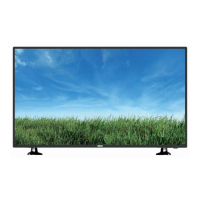

 To Next Page
 General