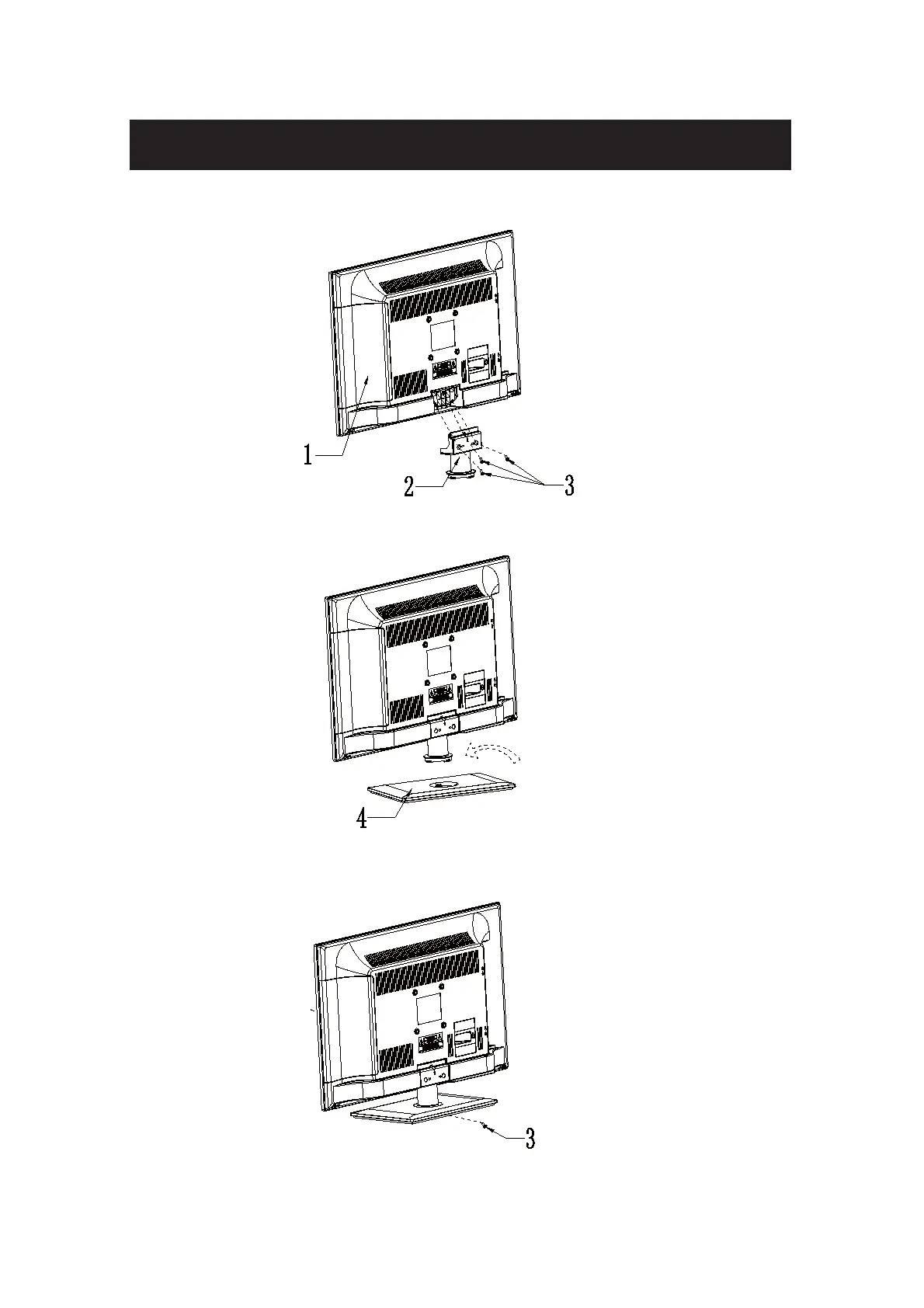
1. Attach stand bracket to backside of cabinet, fasten with 3 screws(4*12mm).
2. Put bottom of bracket into stand, press tight and turn right first, then turn left, fasten well
once hear sound 'KA'.
3. Fasten stand to bracket with 1 screw(4*12mm) from bottom of stand, then finished.
Attacthing or Removing the Stand



 To Next Page