7.
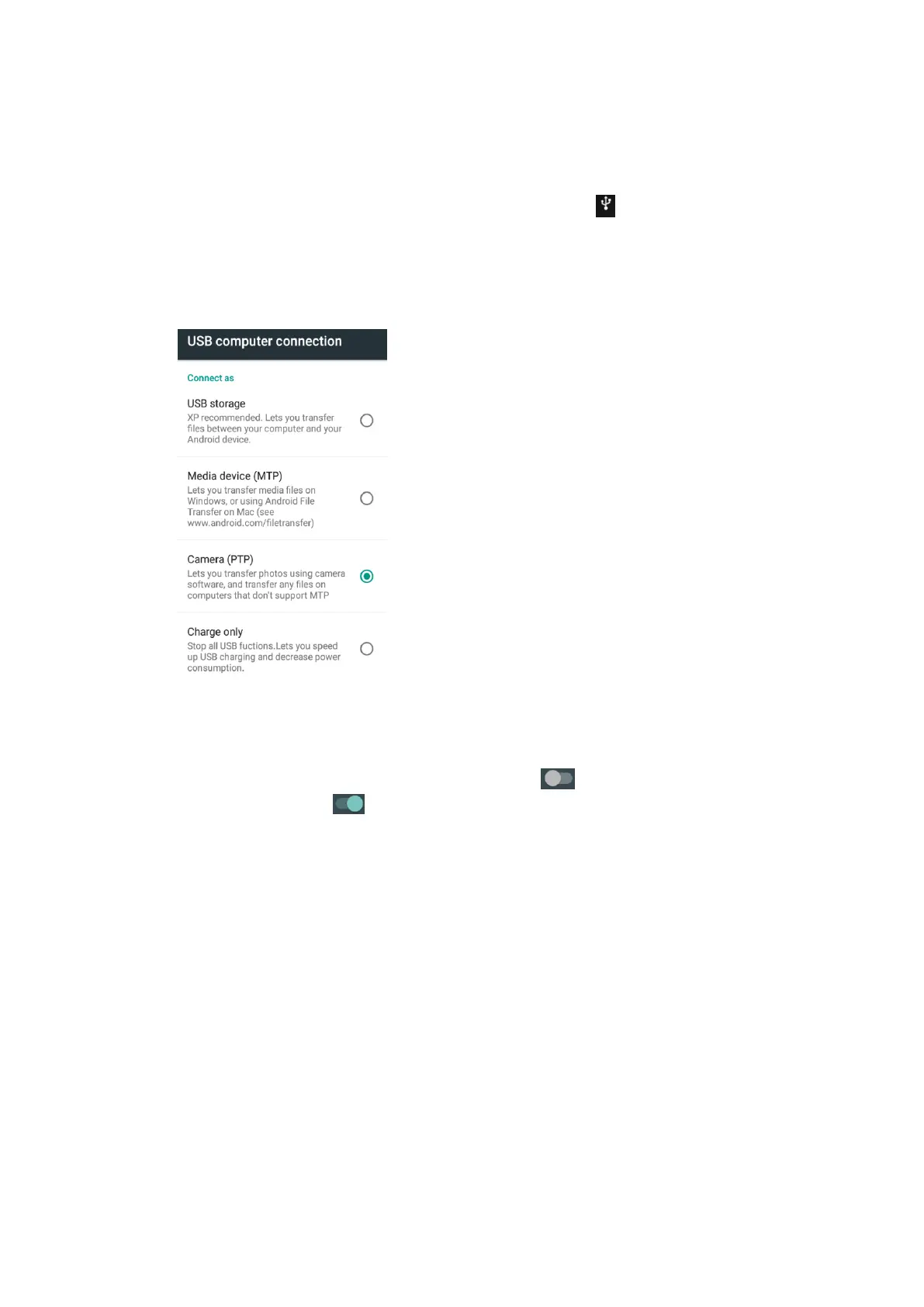
USB Computer Connection
Turn on the mobile phone, use the USB cable (supplied) to connect the USB Port of
the mobile phone to the USB port of a computer, click icon “ ”on the main interface,
then Touch “Camera(PTP)” to transfer data between phone and computer (TF is also
can if one is inserted).
8. Bluetooth
In the main menu, touch Settings,touch Bluetooth to turn on and scan other
Bluetooth devices, touch again to turn off. If you allow other devices to scan
the local Bluetooth, turn on the local Bluetooth first, then touch “Available devices”
below Visible to all nearby Bluetooth devices to connect.
6


 To Next Page