Need help?
Do you have a question about the RCA RP5016 and is the answer not in the manual?
Warning against opening the unit due to dangerous internal voltage.
Meaning of lightning flash and exclamation point symbols used on the device.
Prohibition of exposing the product to rain or moisture.
Device meets FCC Part 15 rules for digital devices and potential interference.
Guidance on service needs and recording purchase details for future reference.
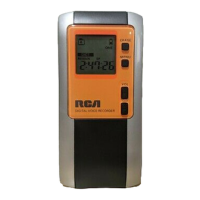
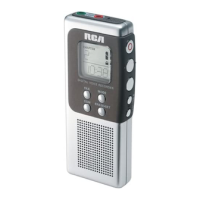
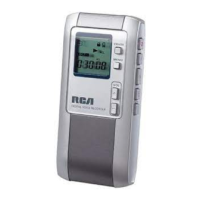
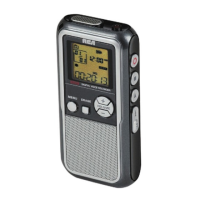
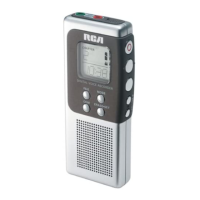
Description of buttons and indicators on the front of the device.
Details on buttons and connection ports located on the sides.
Explanation of all icons, indicators, and data presented on the device screen.
Lists and explains various messages shown on the device display during operation.
Instructions for using batteries or the AC/DC adapter.
How to enable/disable the key lock and button beep sounds.
Step-by-step process to set the current date on the device.
How to select the preferred time display format.
Guide to choosing between built-in storage and an external memory card.
Steps for playing back recorded files, adjusting volume, and navigating tracks.
How to start, pause, and stop manual voice recordings.
How to use the AVR feature for sound-activated recording.
Choosing between Standard Play and High Quality recording modes.
Selecting the appropriate recording condition for the environment.
Using IntroScan for previews and connecting to a PC for file transfer.
Steps to delete individual audio files from the device.
Procedure to erase all files within a specific folder.
How to modify recordings by inserting, appending, or cutting segments.
Cautionary guide for erasing all data from internal or external memory.
Instructions for installing the companion software on a computer.
Solutions for common issues like unit not turning on, no sound, or recording failures.
Guidelines for safe handling of the device and batteries.
Details on what the warranty covers, how to claim, and what is excluded.
Specific instructions for warranty service for Canadian customers.
 General
| PC Connectivity | USB |
|---|---|
| Microphone Type | Built-in |
| Display | LCD |
| Recording Media | Built-in Flash Memory |
| Power Source | AAA Batteries |
| Battery Life | Up to 15 hours |

 To Next Page