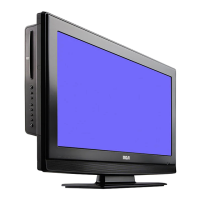
MONITOR OPERATION
Follow the illustrations below to open the monitor.
1. Gently pull the monitor down from the back, and twist it clockwise so the screen is visible.
2. The screen can be turned up to 270
o
. Do NOT force the screen once it stops turning. The screen does
NOT turn completely around.
CONNECTIONS
Plugging in the Unit
Plug the AC power cord into the wall outlet
a) Before plugging in the power cord, make sure the voltage of the unit matches your local voltage.
b) Plug the power cord directly into the nearest wall outlet, and wrap the remaining cord around the cord
storage knob at the rear of the unit.
CAUTION:
TO PREVENT ELECTRIC SHOCK, MATCH WIDE BLADE OF PLUG TO WIDE SLOT OF WALL OUTLET,
THEN FULLY INSERT.
To AC outlet
AC power cord



 To Next Page