SPECIAL FUNCTION
PLAYING A DISC
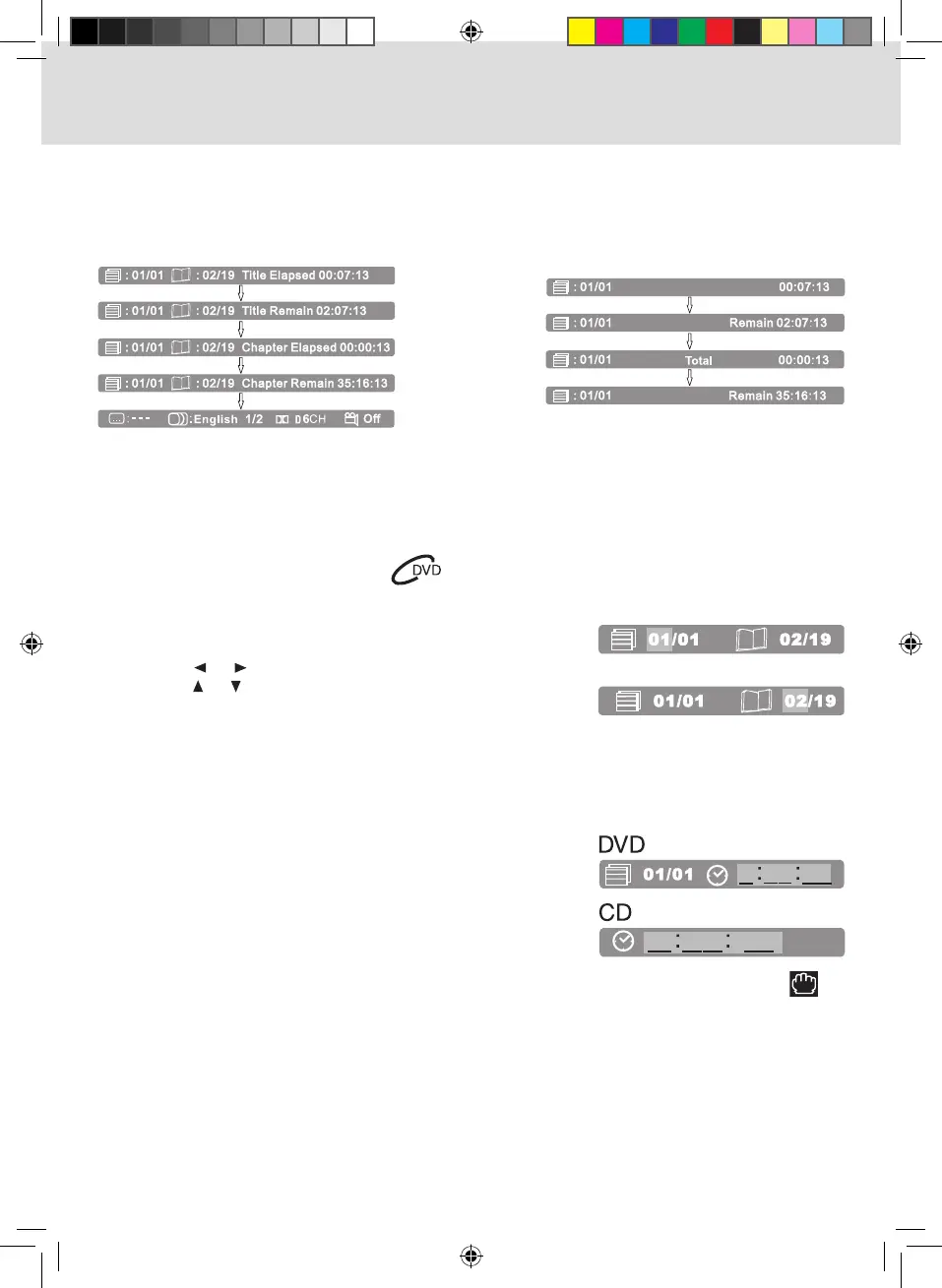
Locating a Specific Title/Chapter
If a DVD contains title/chapter numbers, you can locate a specific title/chapter by directly selecting a title/
chapter number.
1. In STOP/PLAY mode, press the GOTO button.
2. Press the or button to highlight a specific field and
press the or button button to select the title/chapter
you want.
3. Press the ENTER button to confirm. Playback starts from
the selected title/chapter.
Display Function
While the disc is playing, press the DISPLAY button on the remote control repeatedly to display information
on operation status.
Locating a Specific Time
You can move to a specific location by entering its corresponding time (hours, minutes, seconds).
1. Press the GOTO button twice for DVD (once for CD), a
screen shown as right will be displayed on the screen.
2. Enter the corresponding number buttons for the setting point
you want.
3. Press the ENTER button to confirm. Playback starts from
the selected location.
NOTE:
• Ifthetimenumbersyouenteredisnotpermitedbythedisc,afteryoupresstheENTER button, will
appear on the screen. You should reset and enter correct numbers.
• Somediscsmaynotrespondtothisprocess.
• Somescenesmaynotbelocatedaspreciselyasspecied.
• Thismethodforaccessingspeciclocationsisavailableonlywithinthecurrenttitleofthedisc.



 To Next Page