Connections & Setup
6 Chapter 1
Graphics contained within this publication are for representation only.
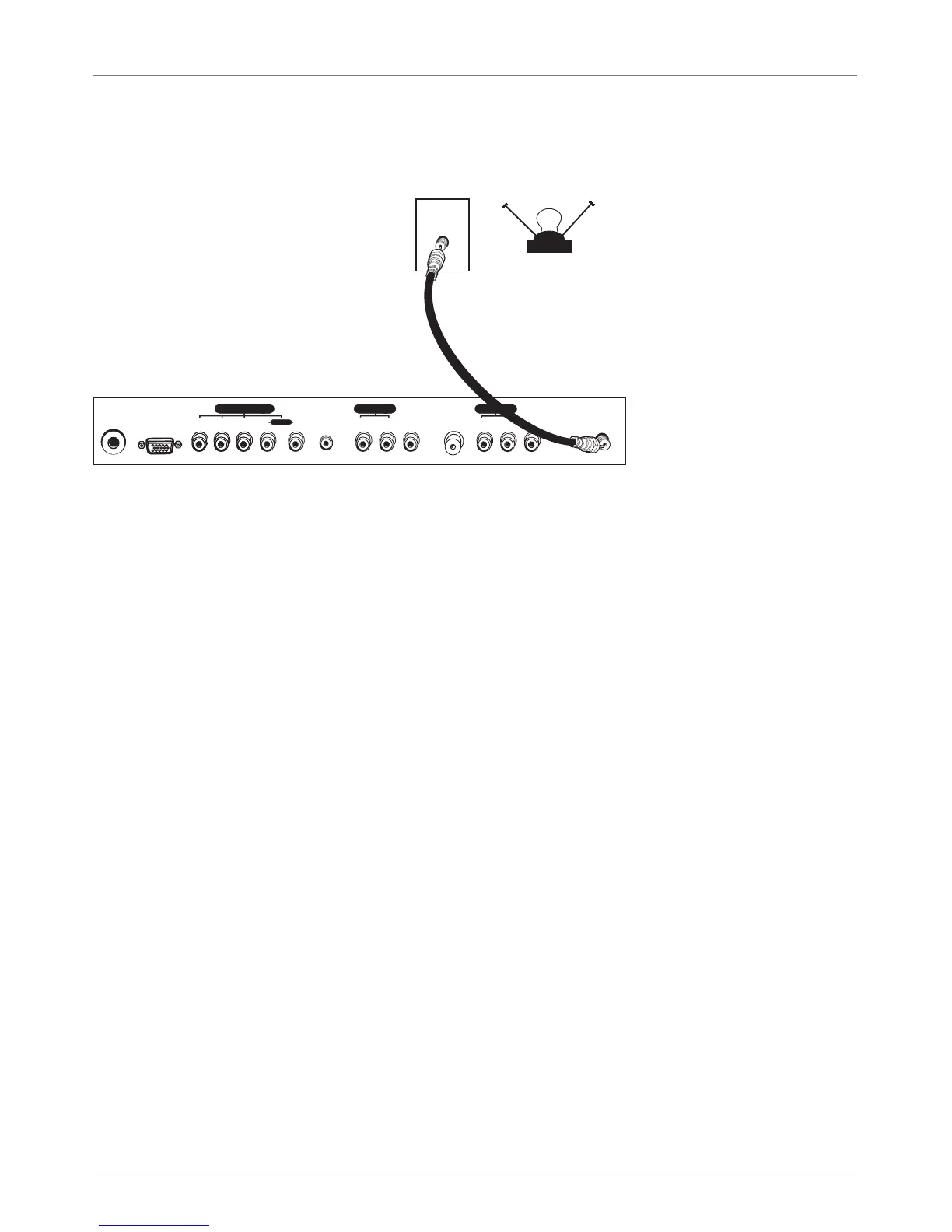
CABLE
OFF-AIR ANTENN A
OR
PENDANT
VIDEO IN 2
ANTENNA IN
24V DC
POWER IN
PC IN
AUDIO IN 2
Pr Pb Y R L
AUDIO IN
PC-AUDIO IN
L R
VIDEO IN 1
AUDIO IN 1
L R
COMPONENT IN
TV Bottom Panel
Connect Your Cable
Connect your cable or antenna to the ANTENNA IN jack on the bottom panel of the TV using a
coaxial cable.
Choose Your Connection
There are several ways to connect your television, depending on the components you want to
connect and the quality of the signal you want to achieve. The following are examples of some
ways to connect your TV. Choose the connection which is best for you.







 To Next Page