RCbro
®
SPARROW 2
User-Manual
LefeiRC www.lefeirc.com/
Step 3: Push the throttle to the lowest position, the green light starts to indicate the type
of plane and flight mode.
➢ How to use the FC to calibrate the ESC?
Step 1: Push the throttle to the highest position in MANUAL mode;
Step 2: Power on;
Step 3: Green light T and △ flash, pull the throttle to the lowest after hearing the ESC
tone, the green light starts to indicate the type of plane and flight mode.
➢ How to use the RC to set the type of plane?
Set the type of plane through the quick hit mode switch (CH5 or CH6) after using the RC
to unlock the FC.
*You need to stop one second after switching once to continue to switch.
➢ How to use the RC to calibrate level?
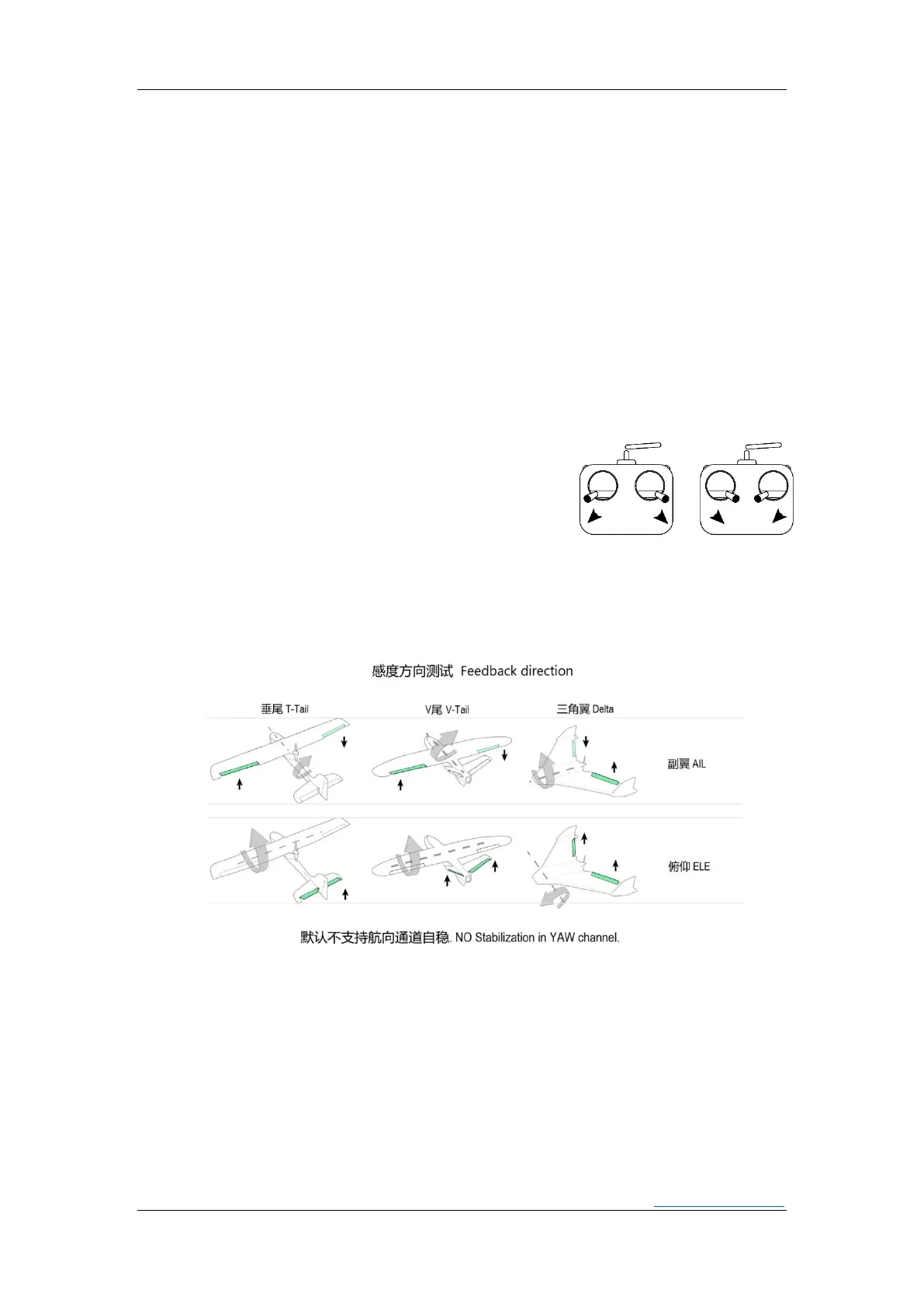
FC is placed horizontally and kept still,choose a way to
dial the sticks as shown in the figure, until the three
green lights flash at the same time.
➢ How to use the RC to set direction of the servo?
*Must be completed before unlocking the RC.
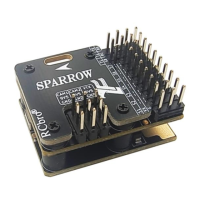
Step 1: Check the feedback direction.
Step 2: If the feedback direction is not correct, turn the AIL or ELE stick to the maximum
position and hold it until the direction of the servo changes.
Step 3: Check the feedback direction again.


 To Next Page