RECHARGING
En
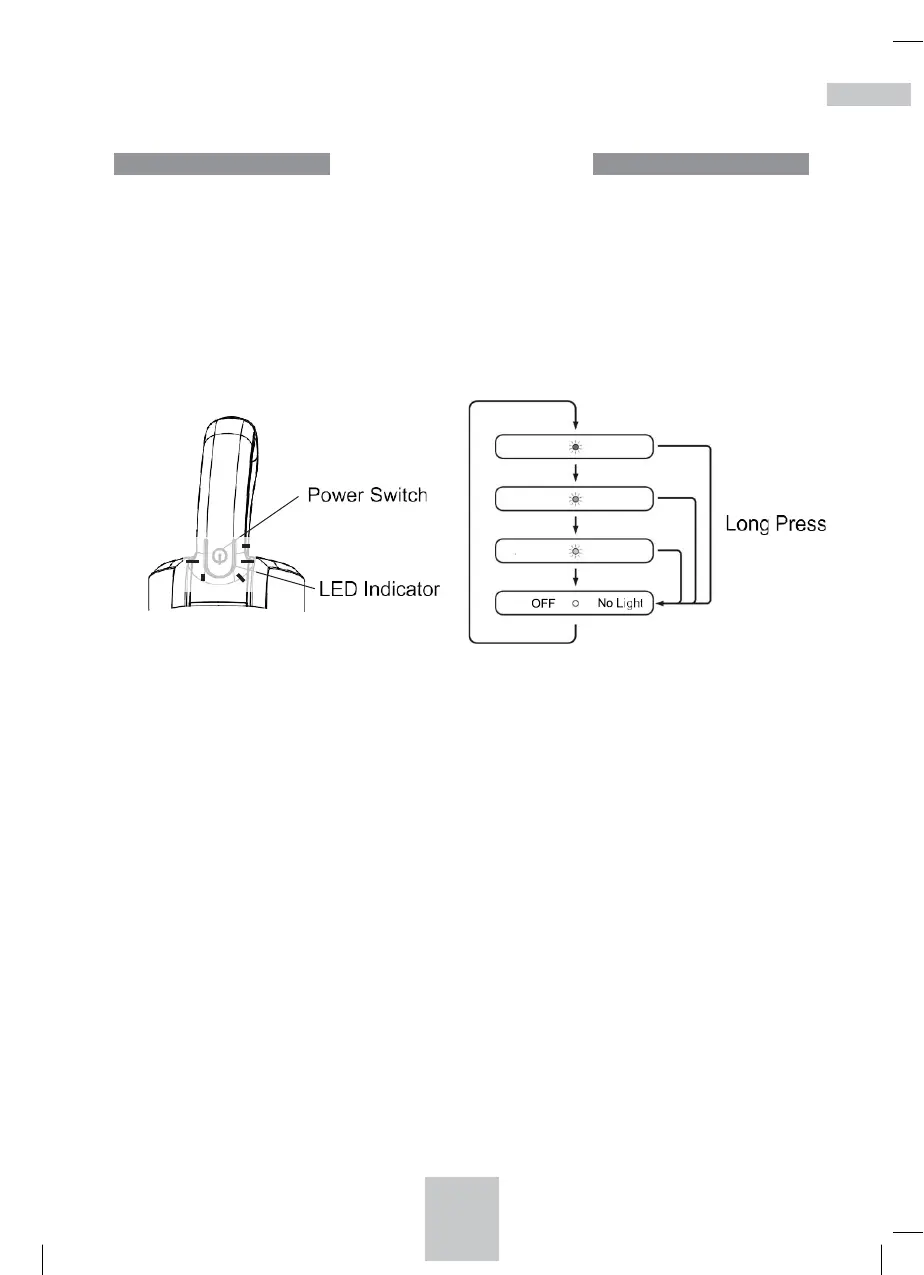
Power Switch and the Indicator Lights
• Each time the power switch is pressed, the mode will be switched between
“High Mode”, “Medium Mode”, “Eco Mode”, and “OFF”.
• The vacuum cleaner is turned OFF by a long press of the Power Switch.
The LED indicator flashes BLUE when the remaining battery level is low.
The LED indicator flashes RED when the battery runs out. The vacuum
cleaner will stop working when the battery runs out.
LED Light Indicators - OPERATION LED Light
No LED Light: Stop / Unit is Off
Pink LED Light: High Speed
Red LED Light: Medium Speed
Blue LED Light: Low Speed
Flashing Blue LED Light: Low battery – Will need to be recharged soon
Flashing Red LED Light: Battery has run out – Needs to be recharged


 To Next Page