13 14
Operating Methods
• Press the “PS” button to enter the PS4™ system menu when playing
PS4™ games.
• Press the “PS” button twice quickly to switch between applications in
use.
• Hold the “PS” button to close an application, log out or turn o the
PS4™ system.
Wheel sensitivity
Please select a wheel sensitivity that best suits your racing style.
You may choose between Low (Default), Mid, and High.
Press the “L-WING”, “R-WING” and “ ” buttons simultaneously to change
sensitivity settings.
Low MID High
Low : Sensitivity LED ON
MID : Sensitivity LED OFF
High : Sensitivity LED Flash
Mode change
• Choose between two modes : Gaming wheel mode (supported by
selected games) and Gamepad mode (default, simulates left analog stick).
• Press Mode keys for two seconds (Mode LED on), then press “PS” button
to switch to “Gaming wheel” mode. Press Mode keys for two seconds
(Mode LED o), then press “PS” button to switch to “Gamepad” mode.
Gaming wheel mode : Mode LED on
Gamepad mode : Mode LED o
Note
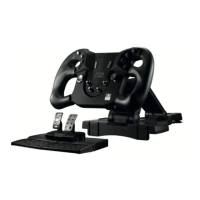
When using your Pace wheel it may be necessary to change the button
conguration to suit your personal preference. The default button
conguration may also dier between games. Your PS4™ recognises the
Pace wheel as a DUALSHOCK®4 wireless controller, not as a steering wheel.
As such to change the button conguration go into settings on your game,
select DUALSHOCK®4 wireless controller (not Steering Wheel) and select
button conguration.


 To Next Page