EasyManua.ls Logo

Realistic CTR-51 - Page 3

Realistic CTR-51
16 pages
Print Icon
To Next Page IconTo Next Page
To Previous Page IconTo Previous Page
Loading...
PREPARING
YOUR
CTR-51
FOR
USE
Your
recorder
can
be used
with
any
of
three
power
sources.
Batteries
1.
Remove
the
battery
compartment
cover
by
pressing
the
grip
and
pushing
the
cover
in
the
direction
indicated
by
the
embossed
arrow.
2.
Install
4
‘’C’’
cells
as
shown
on
the chart
inside
the
battery
compartment.
3.
Snap
the
battery
cover on
again.
3
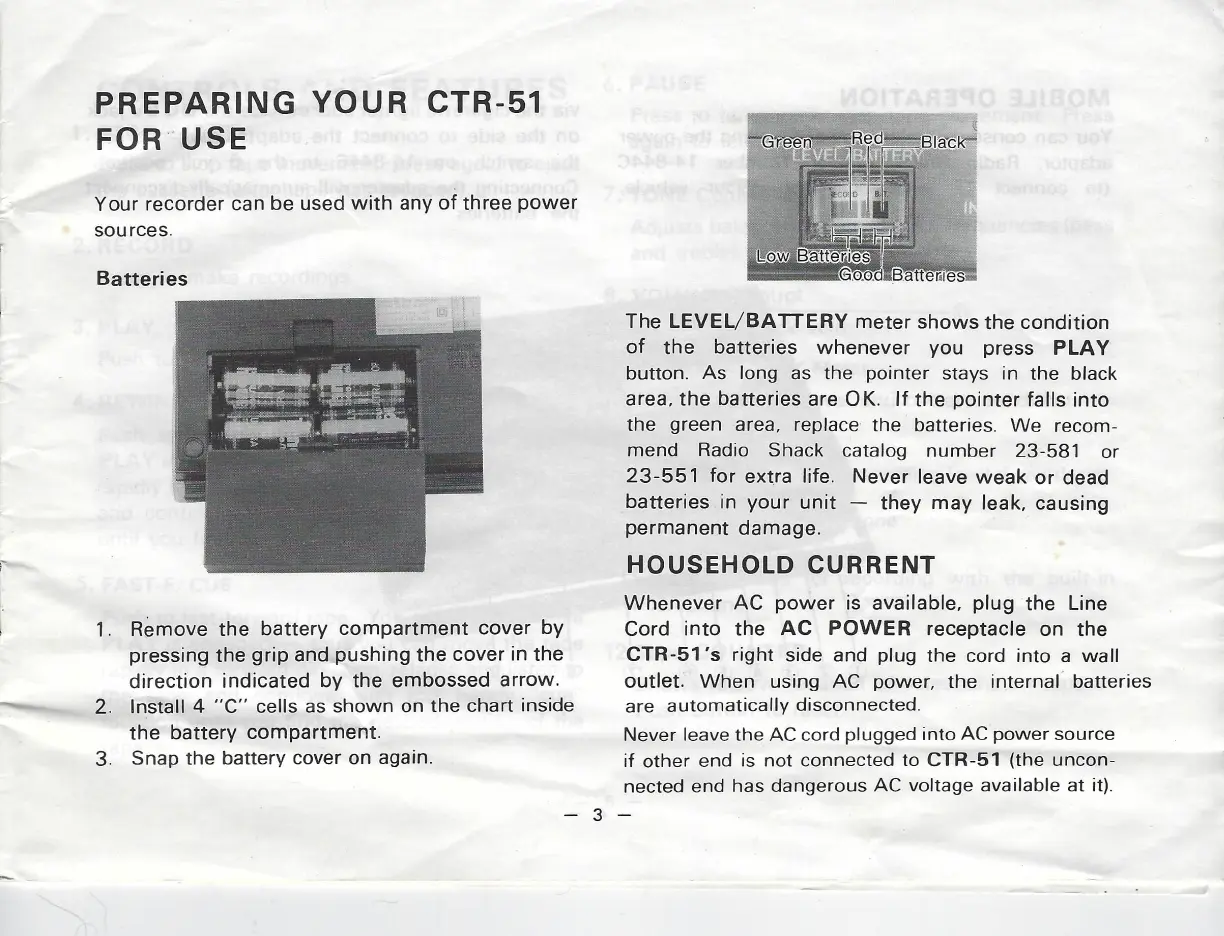
The
LEVEL/BATTERY
meter
shows
the
condition
of
the batteries
whenever
you
press
PLAY
button.
As
long
as
the
pointer
stays
in
the
black
area,
the batteries
are
OK.
If
the
pointer
falls
into
the
green
area,
replace
the
batteries.
We
recom-
mend
Radio
Shack
catalog
number
23-581
or
23-551
for
extra
life.
Never
leave weak
or
dead
batteries
in
your
unit
they
may
leak,
causing
permanent
damage.
HOUSEHOLD
CURRENT
Whenever
AC
power
is
available,
plug
the
Line
Cord
into
the
AC POWER
receptacle
on
the
CTR-51’s
right
side and
plug
the
cord
into
a
wall
outlet.
When
using
AC
power,
the
internal
batteries
are
automatically
disconnected.
Never
leave
the
AC
cord
plugged
into
AC
power
source
if
other
end
is
not
connected
to
CTR-51
(the
uncon-
nected
end
has
dangerous
AC
voltage
available
at
it).