EasyManua.ls Logo

Realistic CTR-51 - Remote Control; Track Recording

Realistic CTR-51
16 pages
Print Icon
To Next Page IconTo Next Page
To Previous Page IconTo Previous Page
Loading...
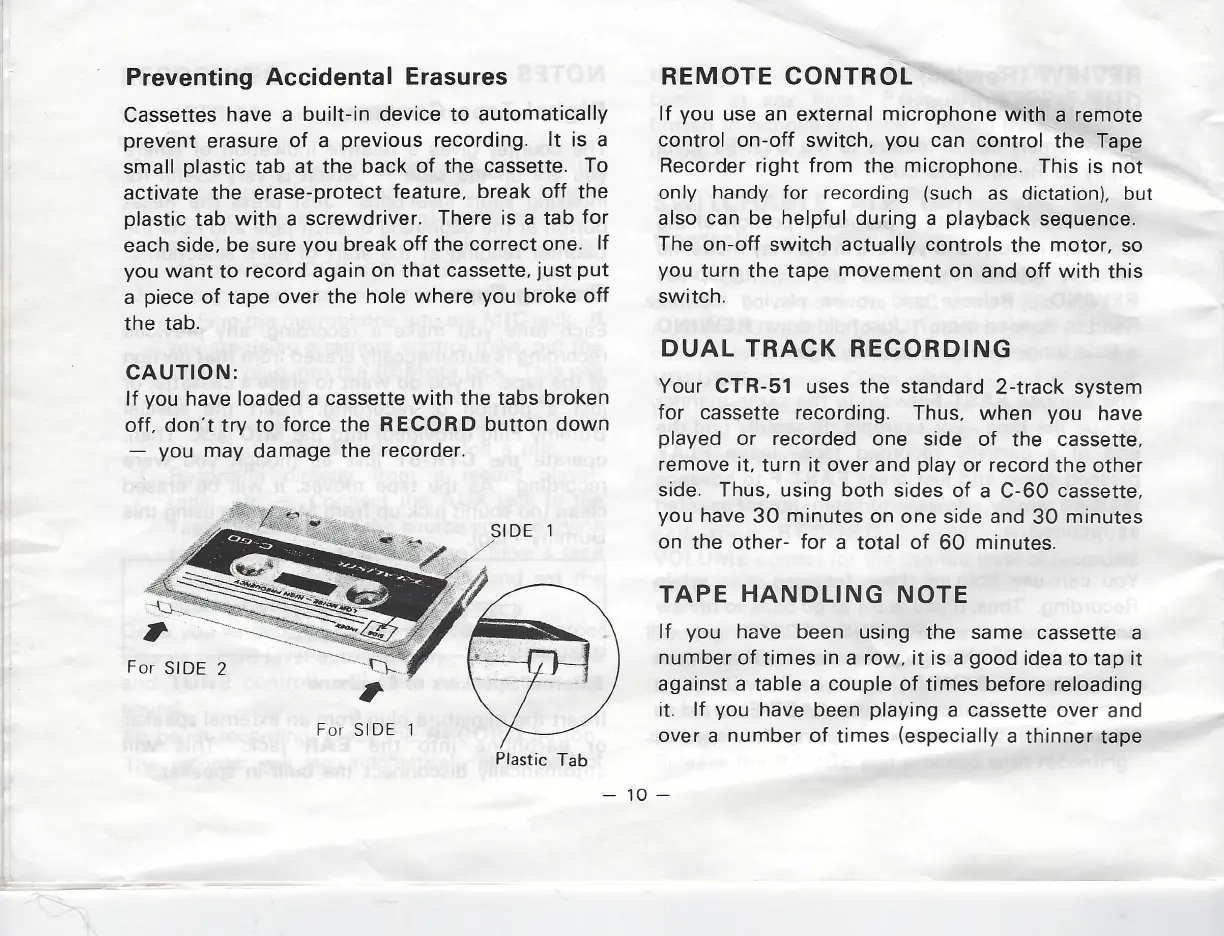
Preventing
Accidental Erasures
Cassettes
have
a
built-in
device
to automatically
prevent
erasure
of
a
previous
recording.
It
is
a
small
plastic
tab
at
the
back
of
the
cassette.
To
activate
the
erase-protect
feature,
break
off
the
plastic
tab with
a
screwdriver.
There
is
a
tab
for
each
side,
be
sure
you
break
off
the
correct
one.
If
you
want
to
record
again
on
that
cassette,
just
put
a
piece
of
tape
over
the hole
where
you
broke
off
the
tab.
CAUTION:
If
you
have
loaded
a
cassette
with
the
tabs
broken
off,
don’t
try
to
force the
RECORD
button
down
you
may
damage
the
recorder.
For
SIDE
2
For SIDE
1
Plastic
Tab
REMOTE
CONTROL
If
you
use
an
external
microphone
with
a
remote
control
on-off
switch,
you
can
control
the
Tape
Recorder
right
from
the
microphone.
This
is
not
only
handy
for
recording
(such
as
dictation),
but
also
can
be
helpful
during
a
playback
sequence.
The
on-off
switch
actually
controls
the
motor, so
you
turn
the
tape
movement
on
and
off
with
this
switch.
DUAL
TRACK
RECORDING
Your
CTR-51
uses
the
standard
2-track
system
for
cassette
recording.
Thus,
when
you
have
played
or
recorded
one
side
of
the
cassette,
remove
it,
turn
it
over
and
play
or
record
the
other
side.
Thus,
using
both
sides
of
a
C-60
cassette,
you
have
30
minutes
on
one
side
and
30
minutes
on
the
other-
for
a
total
of
60
minutes.
TAPE
HANDLING
NOTE
If
you
have been
using
the
same
cassette
a
number
of
times
in
a row,
it
is
a
good
idea
to
tap
it
against
a
table
a
couple
of
times
before
reloading
it.
If
you
have been
playing
a
cassette
over
and
over
a
number
of
times
(especially
a
thinner
tape