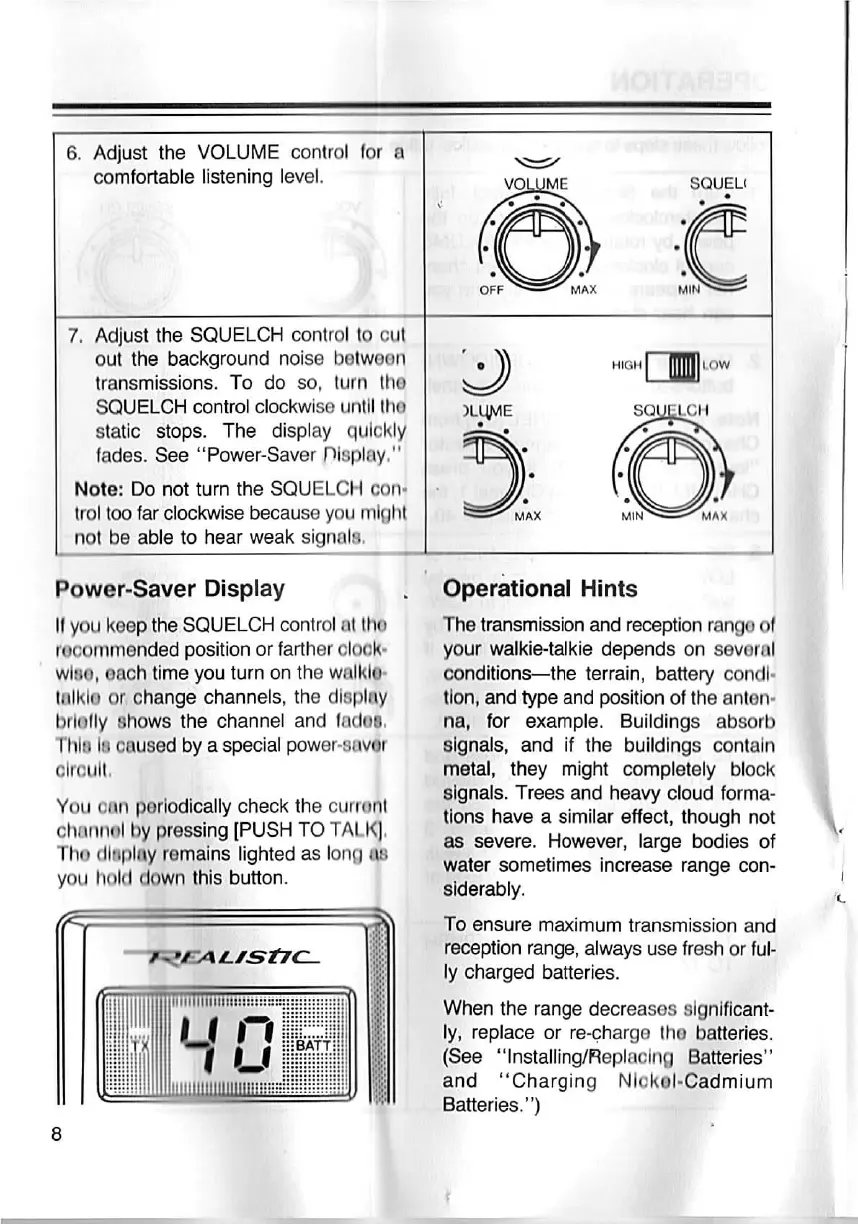
6. Adjust the VOLUME control for a
comfortable listening level.
7. Adjust the SQUELCH control to cut
out the background noise b©twoon
transmissions. To do so, turn tho
SQUELCH control clockwise untll (ho
Static stops. The display qulckly
lades. See "Power-Savor nlsplay,"
Note: Do not turn the SQUELCH con.
trol tco far clockwise because you mloht
not be able to hear weak signals.
Power-Savor Display
11 you keep the SQUELCH control at `ho
rooommended position or farther olook.
wl8o, each tlme you turn on the walklo.
tolklo or, change channels, the dl8plny
brlotly Shows the channel and ladoB.
Thlii lu cE`u8ed by a special power.Savor
Olroul''
You al`n p©rlodlcally check the curront
chnnii{il by pro8§ing [PuSH TO TALK|,
Tho dltlr)l[iy romalns lighted as lono ii8
you holi_I down this button.
H,OHmLOw
Operational Hints
The transmission and reception rango ol
your walkie-talkie depends on sov©ml
conditions-the terrain, battery condl.
Ilon, and type and position ol the ant©n.
na, for example. Buildings absorb
signals, and if the buildings contain
metal, they might completely block
8lgnals. Trees and heavy cloud forma-
tlons have a similar effect, though not
es severe. However, large bodies of
water sometimes increase range con-
8lderably.
To ensure maximum transmission and
reoeption range, always use fresh or ful-
ly charged batteries.
When the range decreases slgnlflcant-
Iy, replace or re€harg© the batteries.
(See "Installing/Fleplaolng Batteries"
and "Charging Nlokol-Cadmium
Batteries.")


 To Next Page
 Loading...