RTL8773E Motherboard User Guide
16
·Copyright 2019 Realtek Semiconductor Corporation.
All Rights Reserved.
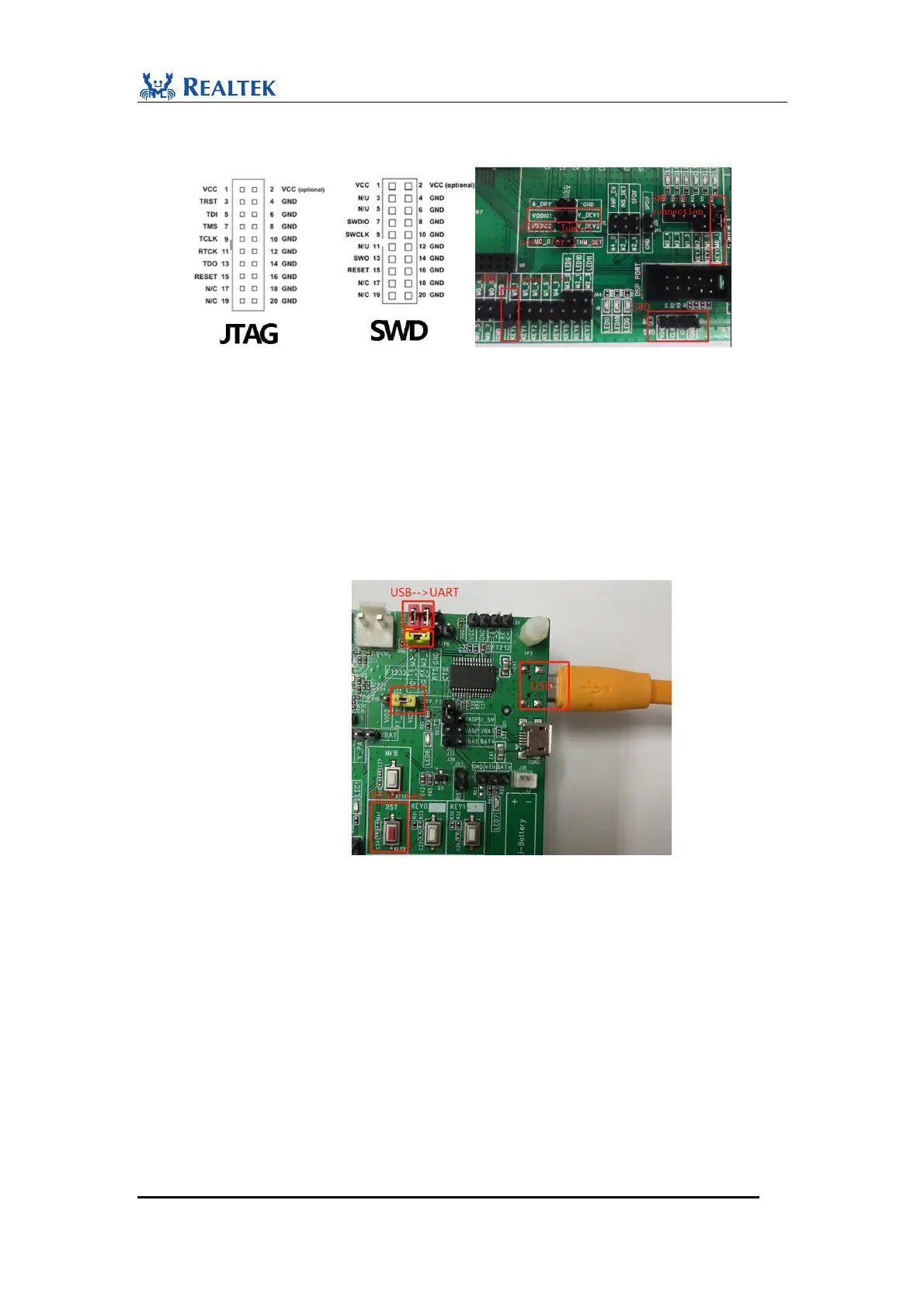
jumper in J-link, and connect VDDIO1 which is powered through J32 to VCC pin of J-link
(Pin1).
Figure 2-2 SWD interface connection
2. When using RTK MPPG tool to download, built-in FT232 chip can be adopted as USB to
UART convertor. Follows the steps:
i. Connect USB connector CON3 on bottom side to PC as USB to UART input.
ii. Make sure J33.2 FT_VIO is connected to J33.1 VIO1 (3.3V fixed,
VDDIO0/LDO_HV33 in spec) to guarantee the voltage consistency.
iii. Use jumpers to connect J40.1 M3_0 to J41.4 FT232_TX and connect J40.2 M3_1 to
J41.3 FT232_RX. If open COM fail in MPPG tool, connect TP6 LOG to TP7 PD
and then push RST key to reset SoC, then try again.
Figure 2-3 MPPG tool downloading connection
Also the external FT232 board is allowed to use for MPPG tool downloading. Please follow
the steps:
i. Since UART pins (P3_0 & P3_1) of 8773E is in power domain VDDIO0
(LDO_HV33) which is 3.3v fixed and is marked as VDDIO1 on EVB motherboard.
The VCCIO on the external FT232 board must be connected to 3.3v instead of 5V.
ii. Connect GND of the external FT232 board to GND of EVB, connect TX of FT232
to M3_0 of EVB, and connect RX of FT232 to M3_1 of EVB. If open COM fail in
MPPG tool, connect TP6 LOG to TP7 PD and then push RST key to reset SoC, then
try again.


 To Next Page
 Loading...