Need help?
Do you have a question about the RealWear HMT-1 and is the answer not in the manual?
Guidelines for optimal battery charging, usage, and lifespan.
Recommendations for replacing the device battery and initial charging steps.
Instructions on preventing accidental battery short-circuits caused by metallic objects.
Government requirements for radio wave exposure compliance in the US and Canada.
RF exposure requirements and limits for device operation in Europe.
Compliance with Canada's portable RF exposure limits for uncontrolled environments.
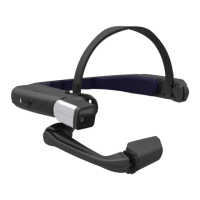
Detailed table explaining the function and action of each part of the HMT-1.
Detailed instructions on how to recharge the HMT device using the provided charger.
Explanation of how speech recognition works within WearHF™ for command execution.
How to use the alphabet keyboard with voice commands and radio alphabet codes.
How to activate and use the symbol keyboard for typing special characters.
 General
| Processor | Qualcomm Snapdragon 625 |
|---|---|
| RAM | 2 GB |
| Microphone | 4 digital microphones with active noise cancellation |
| Ingress Protection | IP66 |
| Display | 20° Field of View. Equivalent to a 7” Tablet |
| Storage | 32 GB |
| Camera | 16 MP |
| Battery | 3250 mAh |
| Connectivity | Wi-Fi 802.11 a/b/g/n/ac, Bluetooth 4.1 |
| Weight | 380g |
| Durability | MIL-STD-810G |
| Resolution | 854 x 480 pixels |


 To Next Page