16
Wired Network Setting ( )Internal router
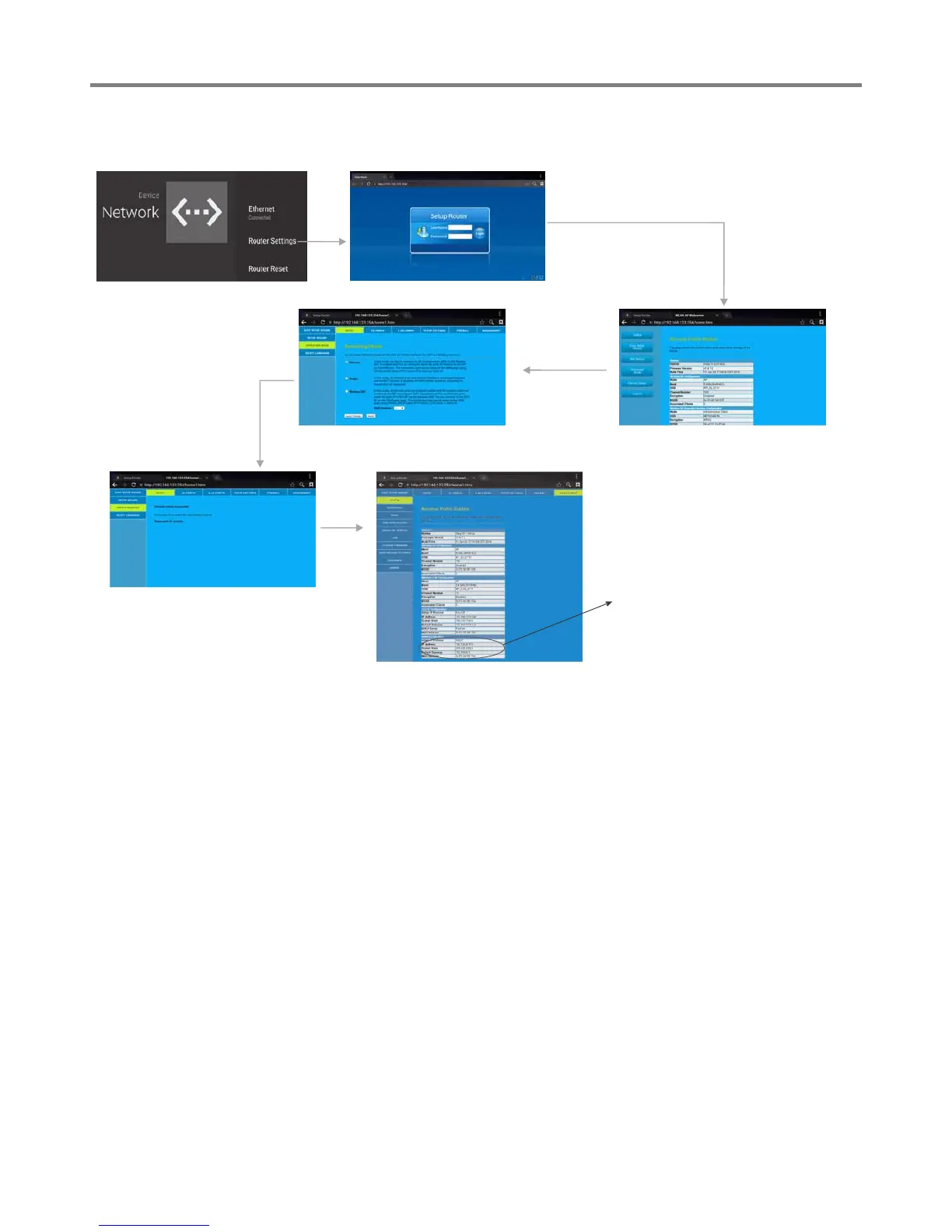
Method 3: Operating mode
Input the default UserName: admin, skip the
default password setting as there is no default
password, then press Login button login.
Select
Advanced Mode
Select SETUP, then
OPERATING MODE
Select Gateway, then
press Apply Changes.
Network Settings(Continued)
Changed setting successfully.
Get IP,


 To Next Page