14
2. Touch Settings.
3. Touch Sound > Do not disturb preferences. You can:
•
Touch Priority only allows to allow only certain content types to play sounds or vibrate.
•
Touch Block visual disturbances to allow or prevent notifications lighting up the screen in do not disturb mode.
•
Touch Automatic rules to turn a do not disturb rule on or off. Each do not disturb rule contains options including duration, start and end time and
do not disturb type.
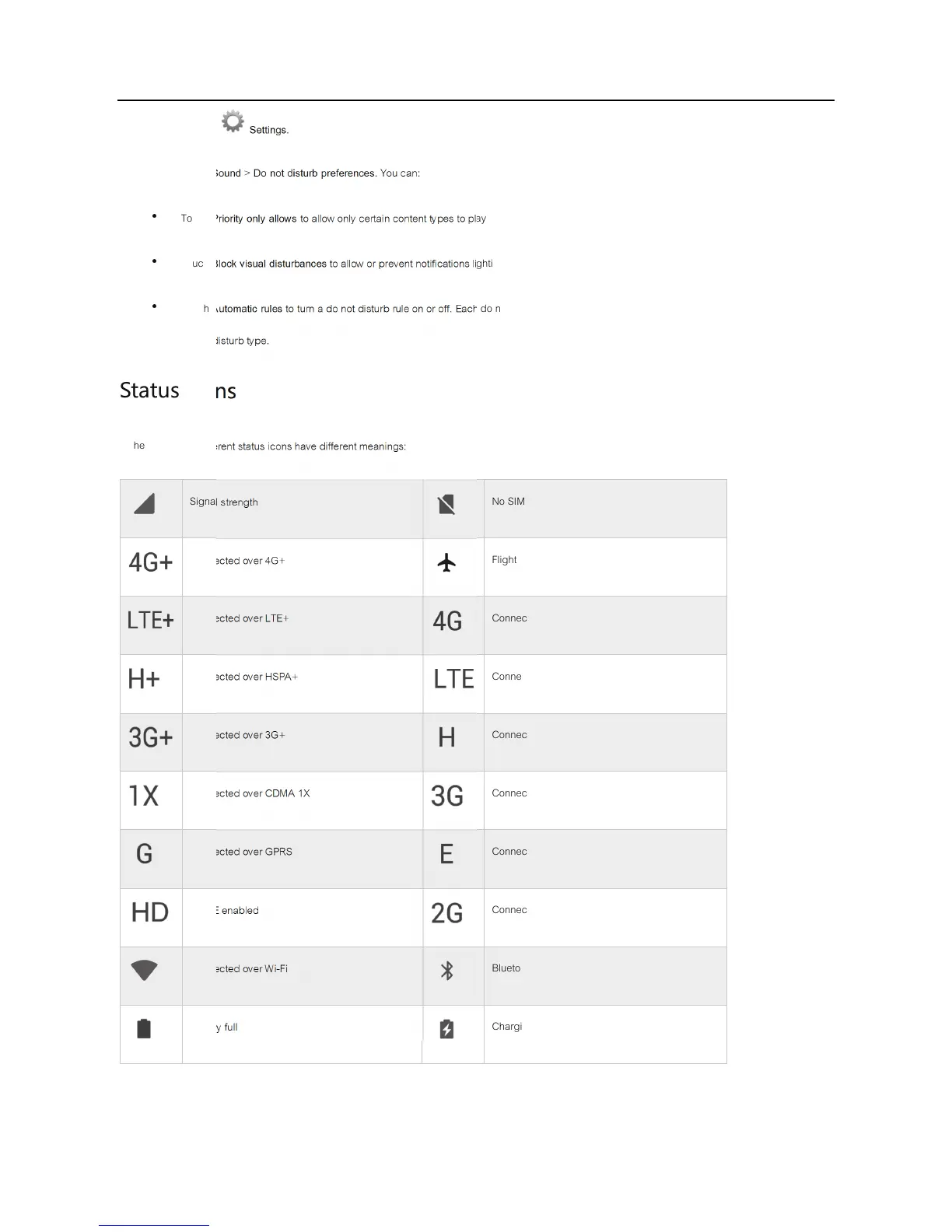
Status icons
In the status bar, different status icons have different meanings:
Signal strength
No SIM card found



 To Next Page