1
2
Rolling Mode
LEFT
RIGHT
L
-3-
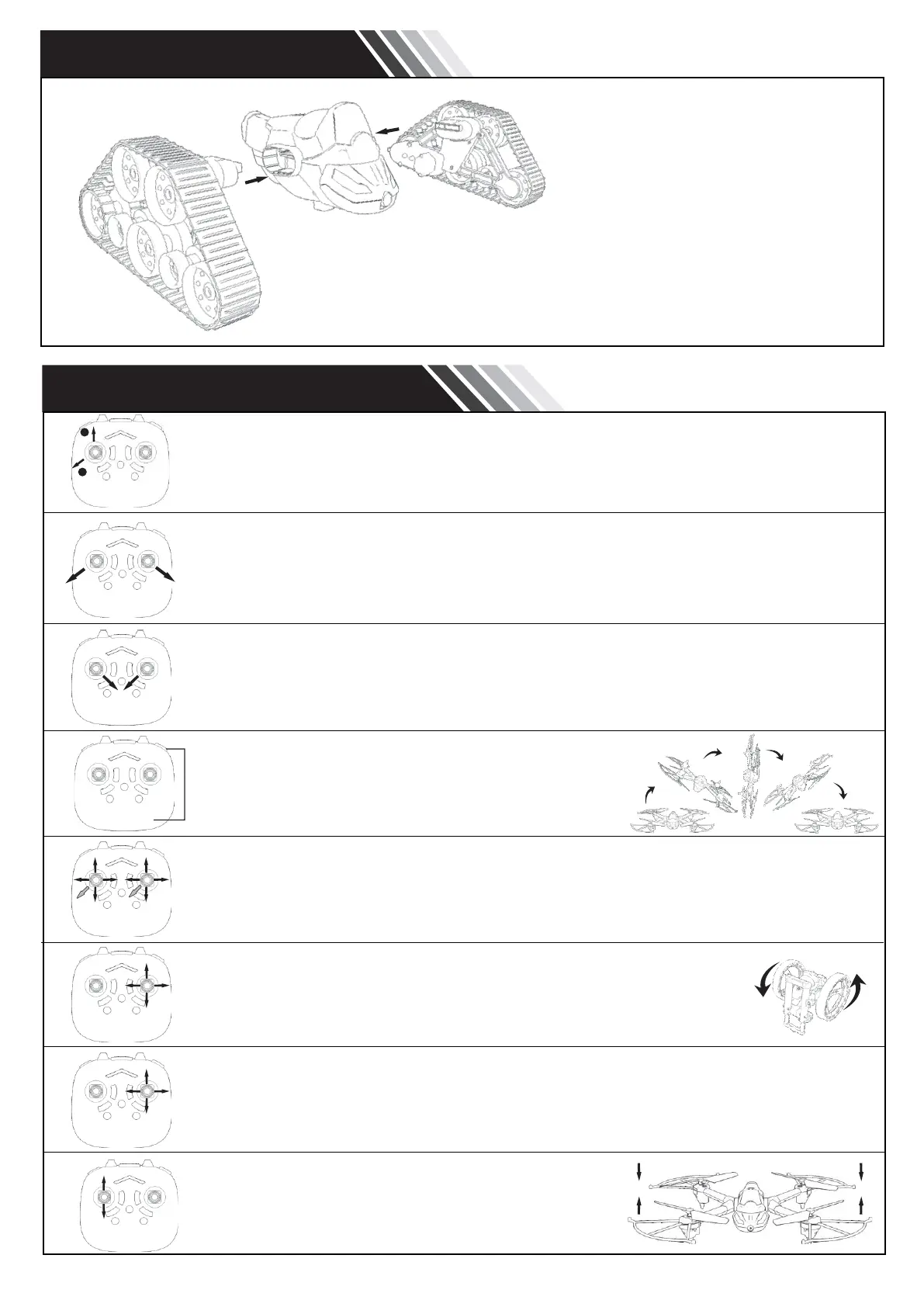
SPACE VEHICLE
Attach and fasten the wheels on each side of the fuselage.
PRODUCT FUNCTIONS
Startup Mode: Turn on the drone and the controller. Push the left control lever all the
way up to match the frequency. Pull it to the left, then down to the bottom to reset.
After resetting, move both control levers outwards and down as shown in the picture.
The drone is now ready to fly.
To perform an emergency stop, push both control levers in the direction shown in the
picture. The drone will stop immediately.
Press the rolling button and move the right control lever
in the desired direction to perform a roll.
Push both control levers to the right to calibrate the drone.
Left control lever: Altitude, left and right turns.
Right control lever: Forwards, backwards, fly left or right.
The jumping bike is controlled using the right control lever. It can move
in any direction but if pushed all the way to the left or right, the bike will
rotate 360°.
The space vehicle is controlled using the right control lever.
Altitude hold function.


 To Next Page