15
Battery Charger
Status Indicator Lights
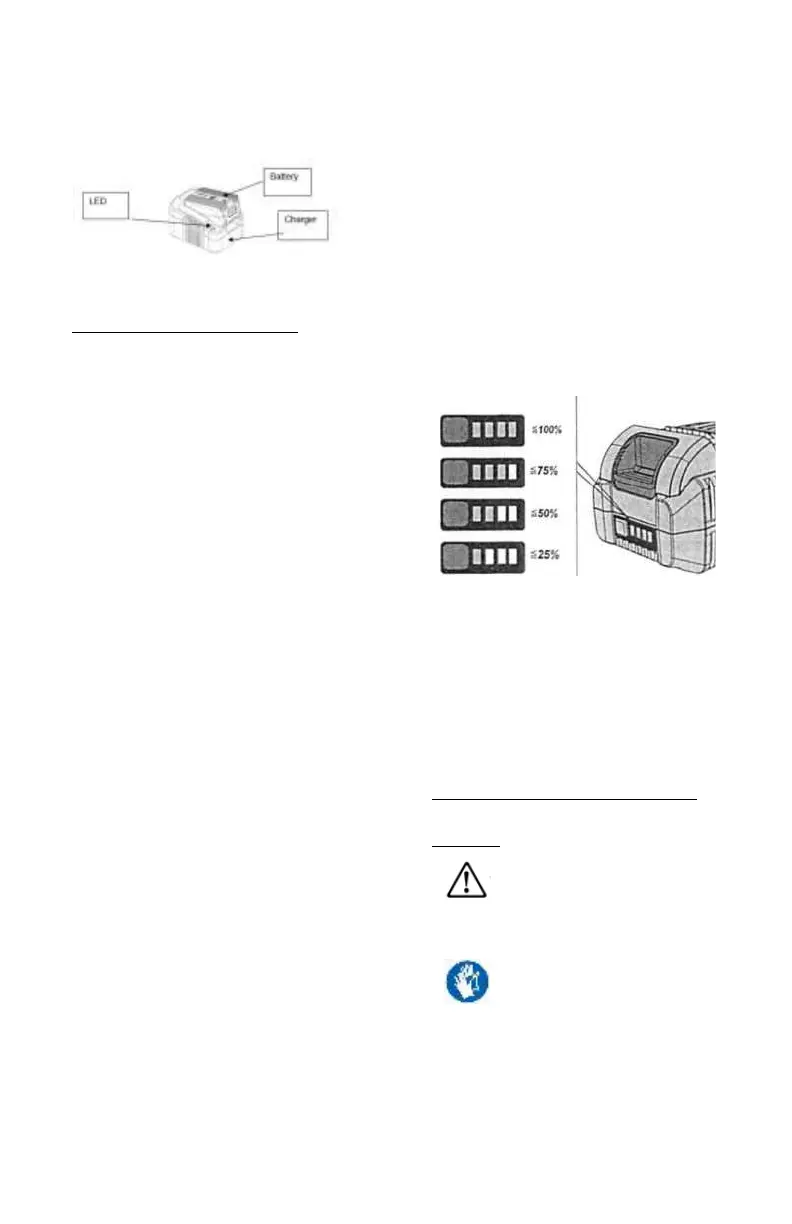
The LED light indicates the operating
status and the state of charge of the
battery.
• LED steady red – The charger is ready
to charge but no battery is connected.
• LED flashes green - Battery is
charging.
LED steady green - The battery is fully
charged and can be removed.
• LED flashes red - Battery fault or
overheat
Charging the Battery
1. Plug the charger into an AC outlet
100-250V (normal household voltage).
2. Insert the battery into the slots of the
charger and slide
into place until the battery locks into
place
3. The LED will flash green while the
battery is charging.
- Once the battery is fully charged, the
LED indicator will show a steady green
light
- Remove the battery by pressing and
holding the latch button and sliding out
of the charger. Lithium Ion batteries
have no memory effect – a partial
charge will not damage your battery.
Battery State of Charge
Press the button to check the state of
charge at the state of charge indicator
LED.
The indicator goes out after 3 seconds.
If the LED lights red, the battery must be
recharged. If the LED doesn't light up
after the button is pressed, the battery is
faulty and must be replaced.
MAINTENANCE AND
CARE
GENERAL SAFETY
WARNING #1!
Cleaning
Do not use water or liquid detergents.
1. Remove dirt and dust from the
housing with a paintbrush and dry cloth.



 To Next Page