13
Operation
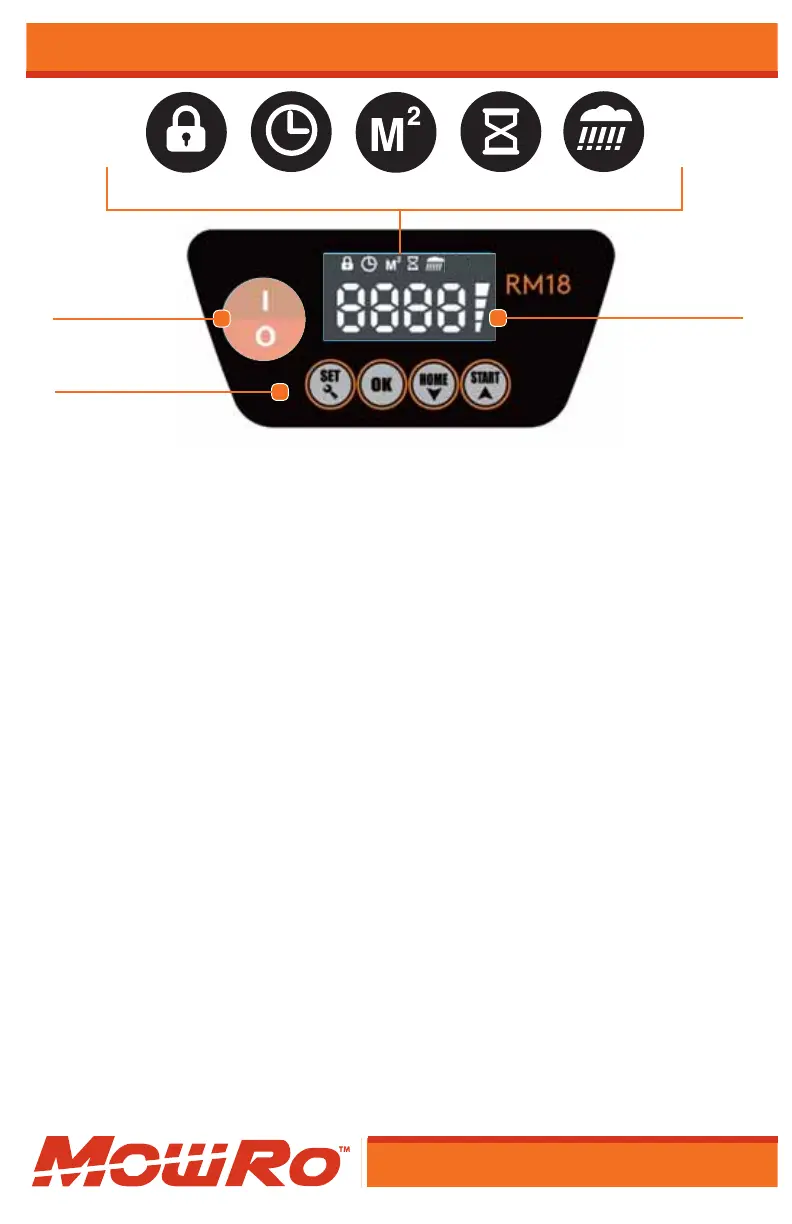
PIN Code Clock Mow Area Start Time Rain Sensor
Power switch
Settings
Battery Capacity
Mower Operation
Note: To ensure proper setup, verify that the mower is fully charged and is in
contact with the docking station.
Note: Make sure that the path of perimeter is compeltly clear before operating.
Unlocking the Mower
1) Turn on the mower by switching the red button
(located to the left of the LCD screen)
2) The LCD screen will show “Idle”.
3) Press the “Set” button one time.
4) Four zeros and battery life symbol will show
on the LCD screen. (This is the PIN code)
5) The fi rst zero will be blinking.
6) Press the “OK” button four times to unlock the mower.
(The factory default code is: 0000)
7) The mower is now unlocked, and the user may change
the settings of the mower.
Manual Start
1) Unlock the mower. (If locked, see steps 1-7 in
the Unlocking the Mower section.)
2) Press the “Start” Button and the mower will immediately start to mow.


 To Next Page