8
Playback via USB/Onboard hdd
Enjoy music playback from directly connected media
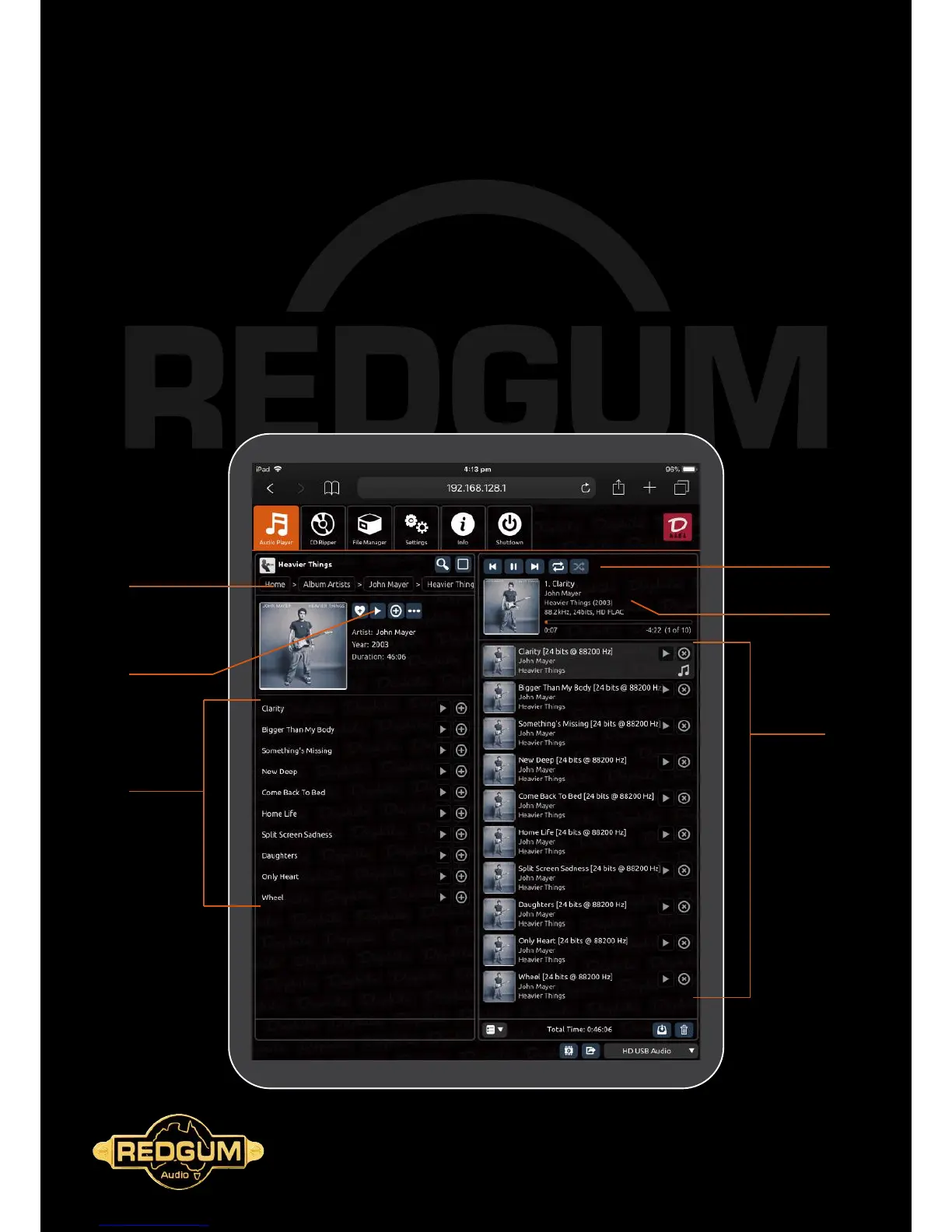
In Daphile under the Audio Player (default) tab:
1 - Select Album Artist / Album etc from the My Music menu in the Library Browser on the LHS
2 - Select the music you wish to play
3 - Press the play icon (arrow) either in the browser panel, or Playback Control panel
4 - Track and Albums can be added to the current playlist by touching the + button
5 - Shufe and Repeat controls are also available in the Playback Control panel
6 - Enjoy!
*
Additional controls
here for Shufe,
Repeat, Next &
Previous track.
Track Information
displayed here.
Current Playlist
displayed here.
Choose an artist / Album
Press Play to jump
right in
Select an individual
track here if you so
desire
2
1
*
*
*



 To Next Page