1. Click to enter “LOCAL ALBUM”, users can view, share, edit the pictures or
videos which they download before.
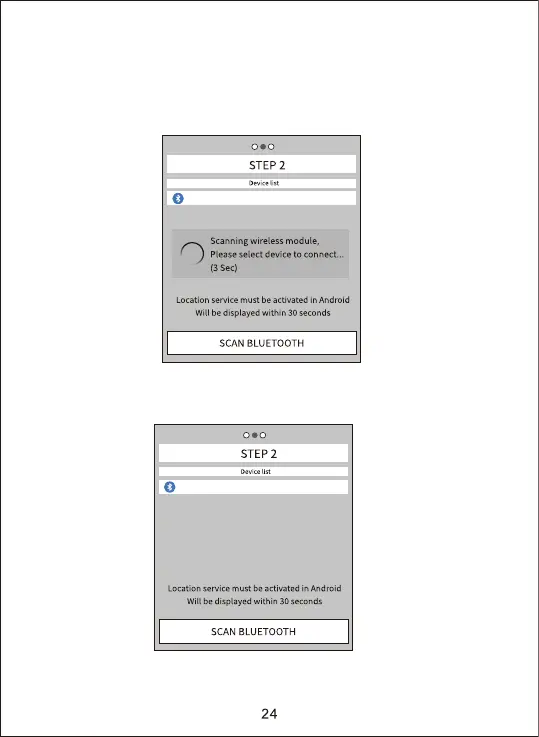
2. Click “TURN ON BLUETOOTH”, and turn on the bluetooth accordingly to
the prompt of the APP. The APP will enter “STEP2” and automatically
search Bluetooth device by itself, as shown the figure below:
3. The searched Bluetooth devices will permutation displayed under the
“device list”, as show below:
CAMERA-XXXX
CAMERA-XXXX


 To Next Page