Note:
•
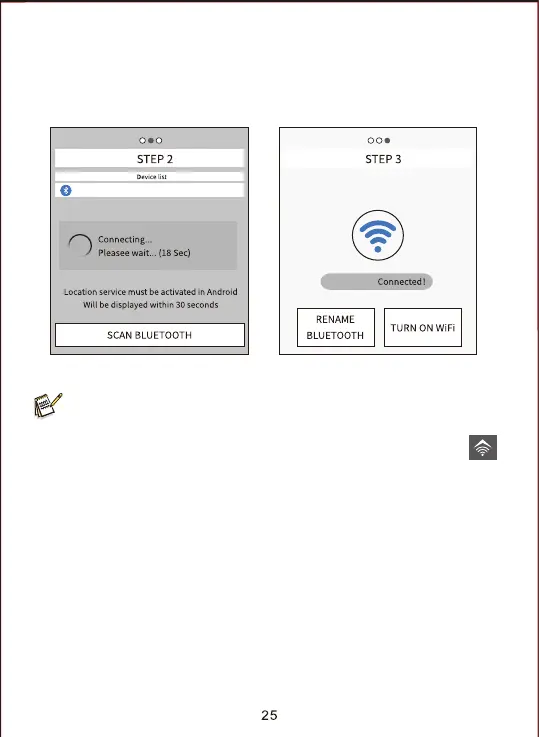
4. Click the appropriate Bluetooth device, APP would connect with camera
Bluetooth. The mobile phone will pop up the window “Connecting...***
please wait...”. After successful connection, the APP would enter into the
“STEP3”, and then the camera Bluetooth match successfully with the mobile
phone Bluetooth.
In SETUP mode, the user can directly connect with APP when the user
doesn’t want to use the Bluetooth function, just directly press the
button on the camera to open the WiFi hotspot. And press “Skip” in the
APP to enter WiFi interface.
CAMERA-XXXX
CAMERA-XXXX
CAMERA-XXXX


 To Next Page