7.4.2. WiFi connection
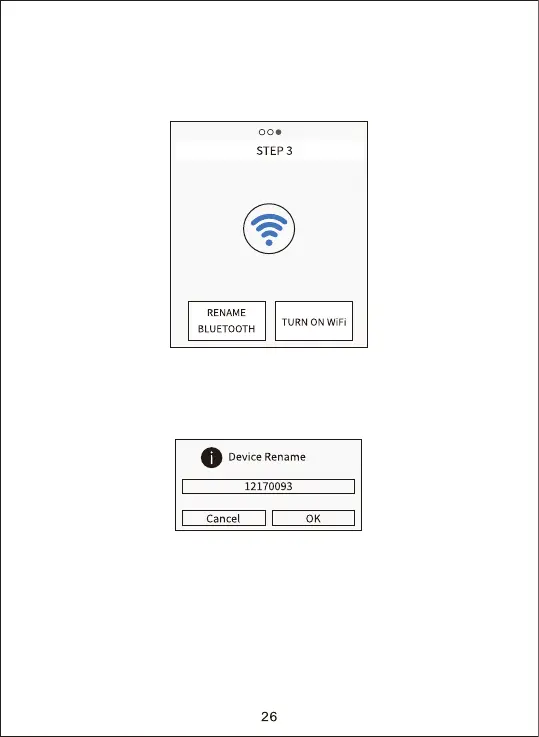
When the Bluetooth connection success, the APP would enter “STEP 3”
as shown below diagram.
1. Click “RENAME BLUETOOTH”, user could modify the Bluetooth device
name accordingly to their own needs, after the modification, click “OK”
button and save it. Details as below shown diagram:


 To Next Page