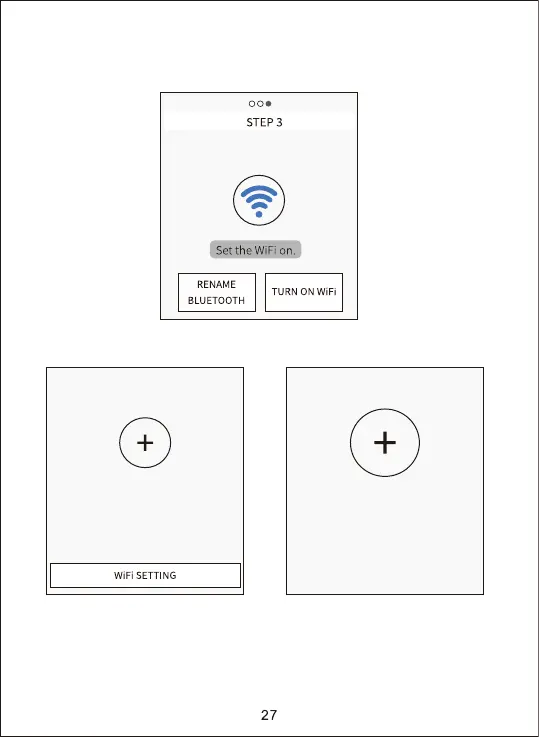
2. Click “TURN ON WiFi”, after 5s countdown, it would jump to the interface of
“WiFi SETTING”, details as below shown diagram:
iOSAndroid
1. Please switch from the app to the wifi
setting on the phone
2. Select the right hotspot to connect
3. Return to the APP
4. click the '+' to connect with camera
1. Click the ‘WiFi setting’ below
2. Select the right hotspot to connect
3. Return to the APP
4. Click the ‘+’ to connect with camera


 To Next Page