11. Optional blade usage
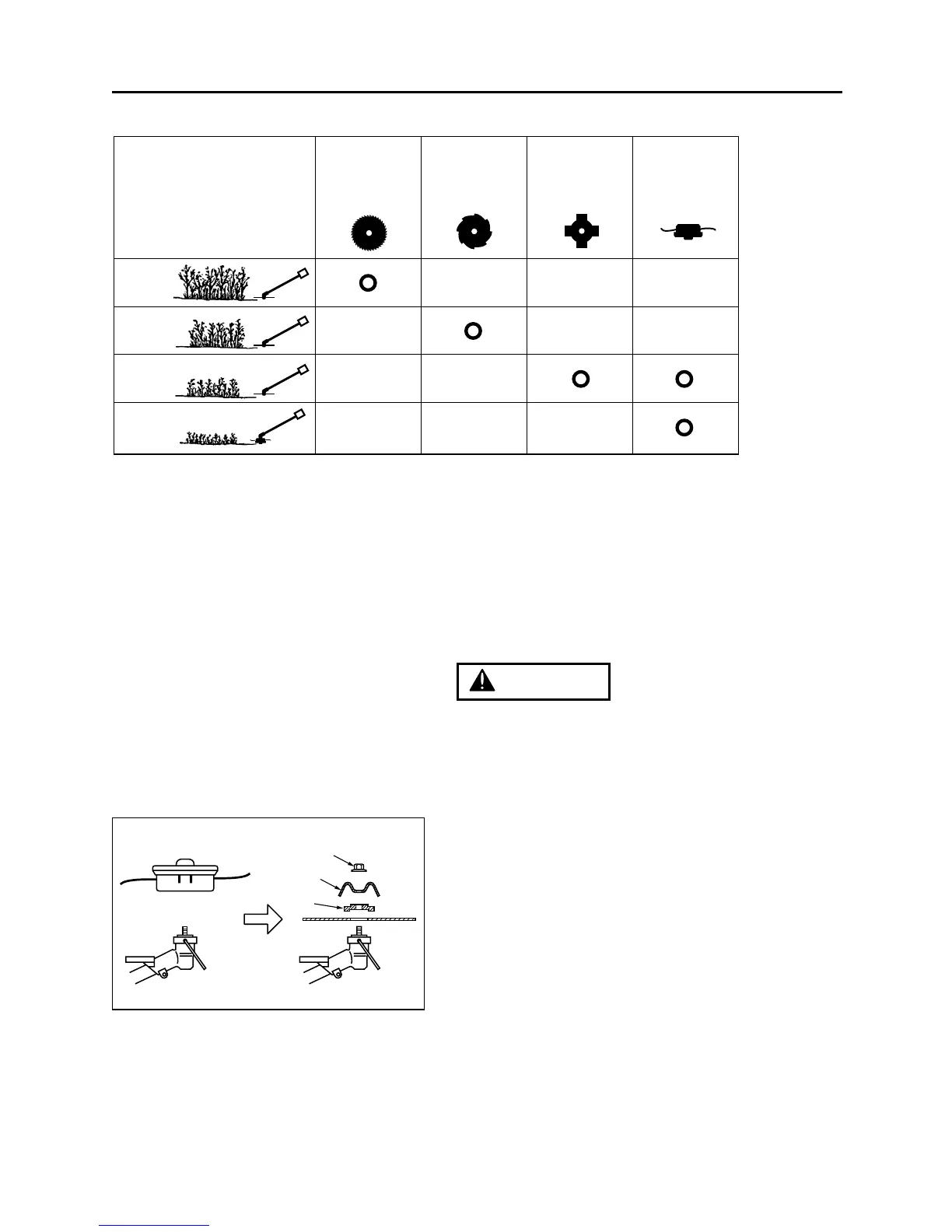
■ CHOOSE THE BLADE
Choose a suitable recommended cutting
attachment according to the object to be cut.
(OPT1)
• When replacing blade always be sure to use
products which have been certified by RedMax.
• When sharpening, removing, or reattaching the
blade, be sure to wear thick, sturdy gloves and
use only proper tools and equipment to prevent
injury.
■ SET UP
1. Detach the line head assembly completely.
(OPT2)
2. Put on the blade, making the marked side face
the holder, put on the outer holders, and fasten
the blade with the blade nut. (OPT2)
(1) Cover: 3540-13283
(2) Holder: 6019-13250 (Standard)
(3) Nut: T3002-13260 (Standard)



 To Next Page