24
128
GB
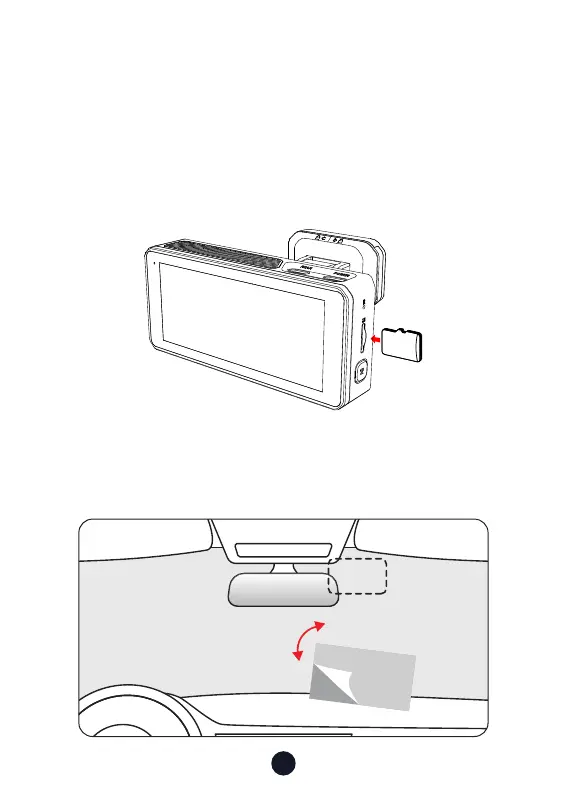
• Inse Memo Card (Optional Operation)
F77 also suppo using memo cards to copy the videos you
need. You can do this in the playback folder by clicking "Copy
Current" or "Copy Selected."
Tips: Video is not saved directly to the memo card.Inse the
memo card into the dash cam, ensuring that it is oriented
correctly so that the gold contacts are facing towards the screen
of the dash cam. Push the memo card until it clicks into the slot.
•
Front camera installation
Peel o the electrostatic sticker on the cellophane and transfer
it to where you want to stick it. Attach the front camera to the
electrostatic sticker and press to make it rmer.



 To Next Page