Pantone 534 Blue
Pantone 123 Yellow
Pantone 485 Red
Pantone 123 Yellow
Pantone 534 Blue
Black
Rich Black -
20/20/20/100
Blue - 100/80/30/5
Yellow - 0/27/100/0
Red - 10/100/100/5
Yellow - 0/27/100/0
Blue - 100/80/30/5
Only if you REALLY need them:
Pantone 534 Blue - 100/80/30/5
Pantone 485 Red - 10/100/100/5
Pantone 123 Yellow - 0/27/100/
Operating Instructions
AC/DC Voltage Measurements
1. Set the Function Switch to the V or mV position.
2. Insert the Red test lead to the VΩHz% Input and the Black test
lead in the COM Input.
3. Press the RANGE Button to select the range manually. Start from
a higher range if you are not sure about the ow under test.
4. Connect the test leads to the power under test. Read the results
on the LCD.
Resistance Measurements
1. Set the Function Switch to the Ω position.
2. Insert the Red test lead to the VΩHz% Input and the Black test
Lead in the COM Input.
3. Press the RANGE Button to select the range manually. Start from
a higher range if you are not sure about the ow under test.
4. Completely discharge all capacitors before taking a measurement.
5. Connect the test leads to the load under test. Read the results
on the LCD. Measurements ≥10μF will take several seconds to
stabilize. To avoid damage or injury do not apply voltages above
60 DC or 30 AC RMS.
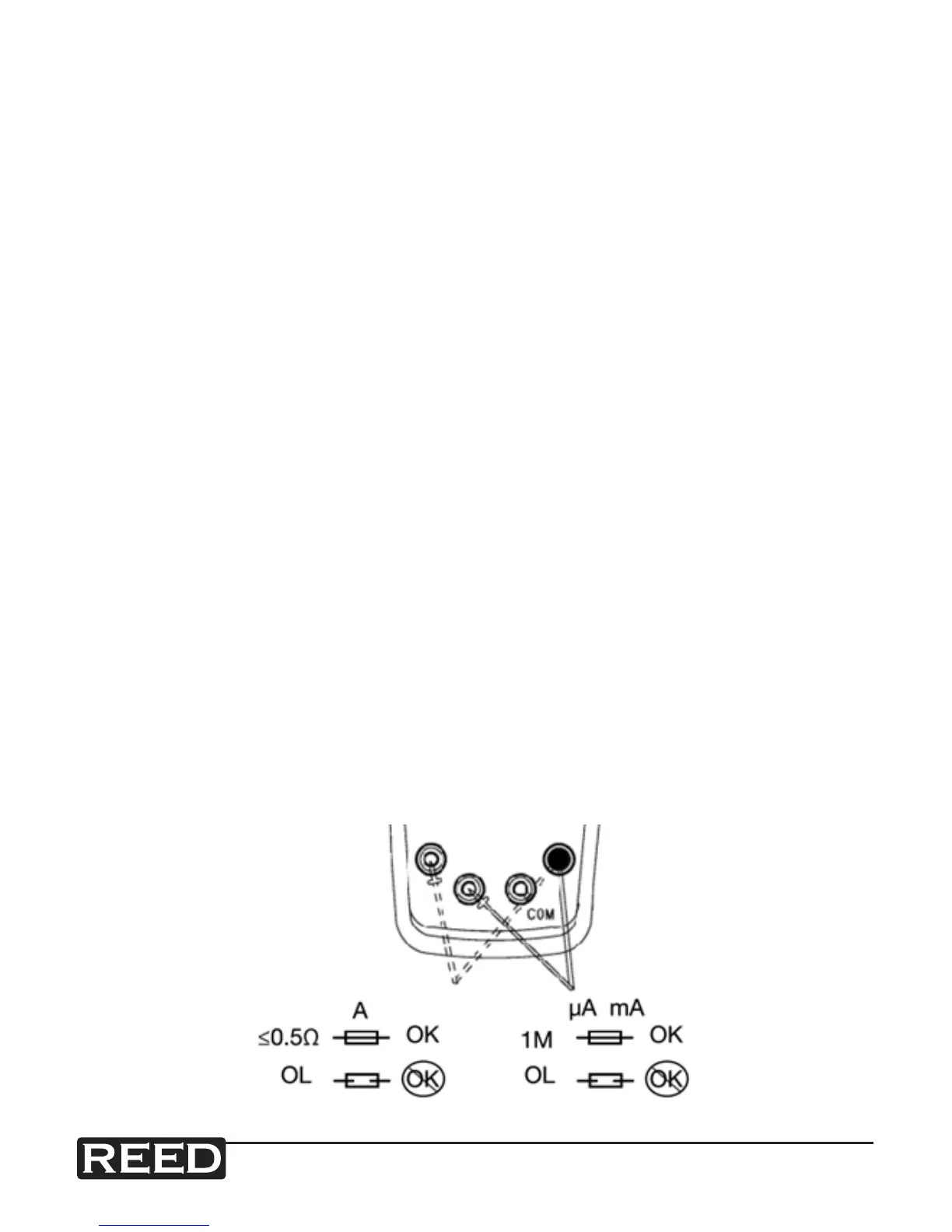
6. To check the built-in fuse, see the image below.


 To Next Page