PROGRAMME EDIT
Skip [BLUE]: Mark stations that should be skipped.
1. Select a channel to be skipped using the [▲ ▼] buttons.
2. Press the [BLUE] key to highlight a channel for skipping.
3. An icon indicates that a station will skip when switching.
4. To stop skipping a station, select a station that is highlighted and press the [BLUE] button.
5. The icon disappears. The station will not be skipped anymore.
EPG
1. Press the [EPG] button on the remote control to open the EPG menu.
2. Navigate in the menu with the [▲ ▼ ◄►] buttons.
3. In the EPG menu, the stations and broadcasts are displayed with start and end time. The
information will be displayed for up to 7 days in the future.
Note:
The company UltraMedia GmbH & Co. Handels KG has no influence on the displayed
information. The information given comes directly from the broadcasters.
EPG is only available for DVB-S / T / C
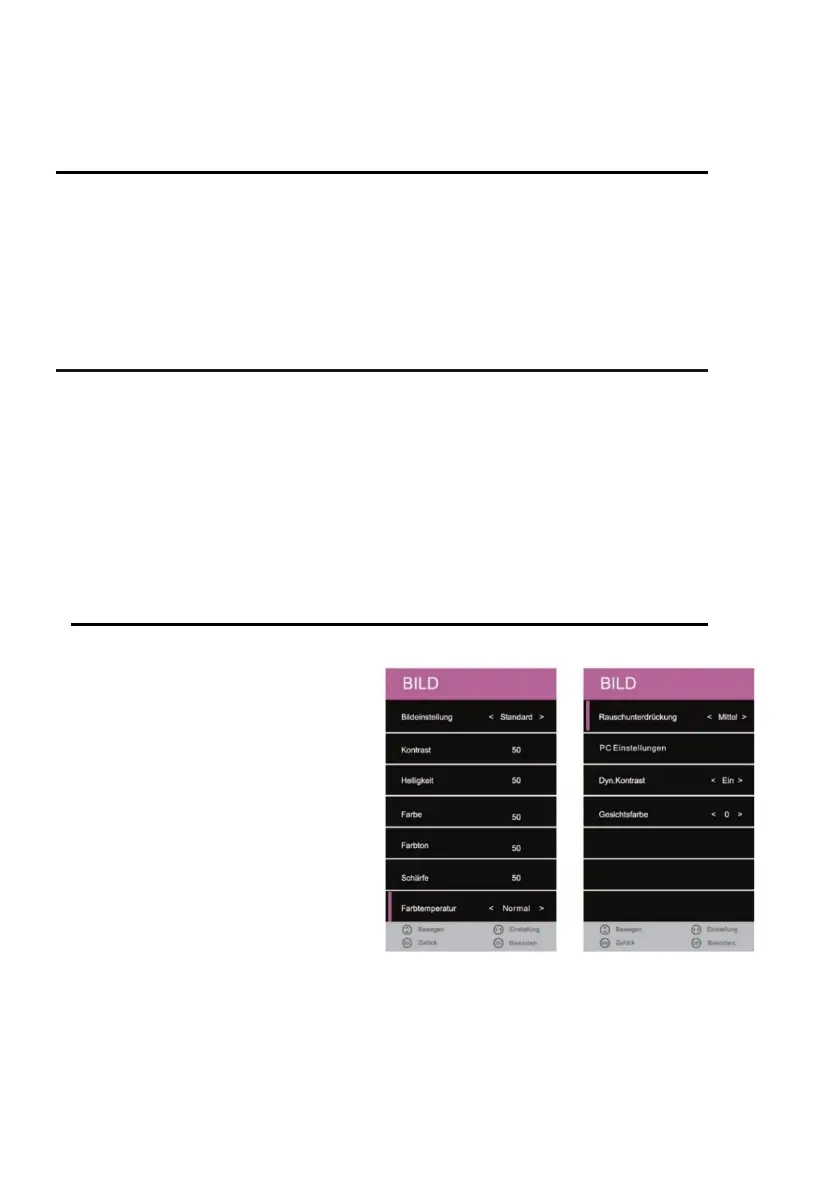
PICTURE MENU
1. Press the [MENU] key on the remote
control.
2. Press the [▲ ▼ ◄►] buttons to
navigate in the menu.
3. Select the "PICTURE" menu item and
press the [OK] key.
4. In the menu, use the [◄► ▲ ▼]
buttons to navigate.
5. Confirm the entry with the [OK] key.
6. Press the [MENU] key to return to the
previous menu.
7. Close the menu with the [EXIT] key.
Note: Contrast, Brightness, Color, and
Sharpness are only available in the
"PERSONAL" picture setting.



 To Next Page