PICTURE MENU
The following selection and setting options are available in the menu:
Picture Mode: Standard / Dynamic / Personal / Mild
Contrast: Regulates the difference between the brightest and the darkest
Areas of the picture.
Brighness: Regulates the overall brightness of the picture.
Colour: Regulates the color.
Sharpness: Set the sharpness value of the TV set.
Tint: Adjust hue (only if an NTSC signal is present).
Colour Temp: Warm / Cold / Normal:
Nois Reduction: Off / Low / Medium / High.
Screen: The menu item in only active if a PC via the VGA
Input is connected.
Dynamic CR: On / Off
Face Colour: Adjust the thickness of the facial colors to your senses.
Note:
The menu items "Contrast / Brightness / Color / Sharpness" are only available in the
"Picture setting" "Personal".
The "Hue" menu item is only available if an NTSC signal is present.
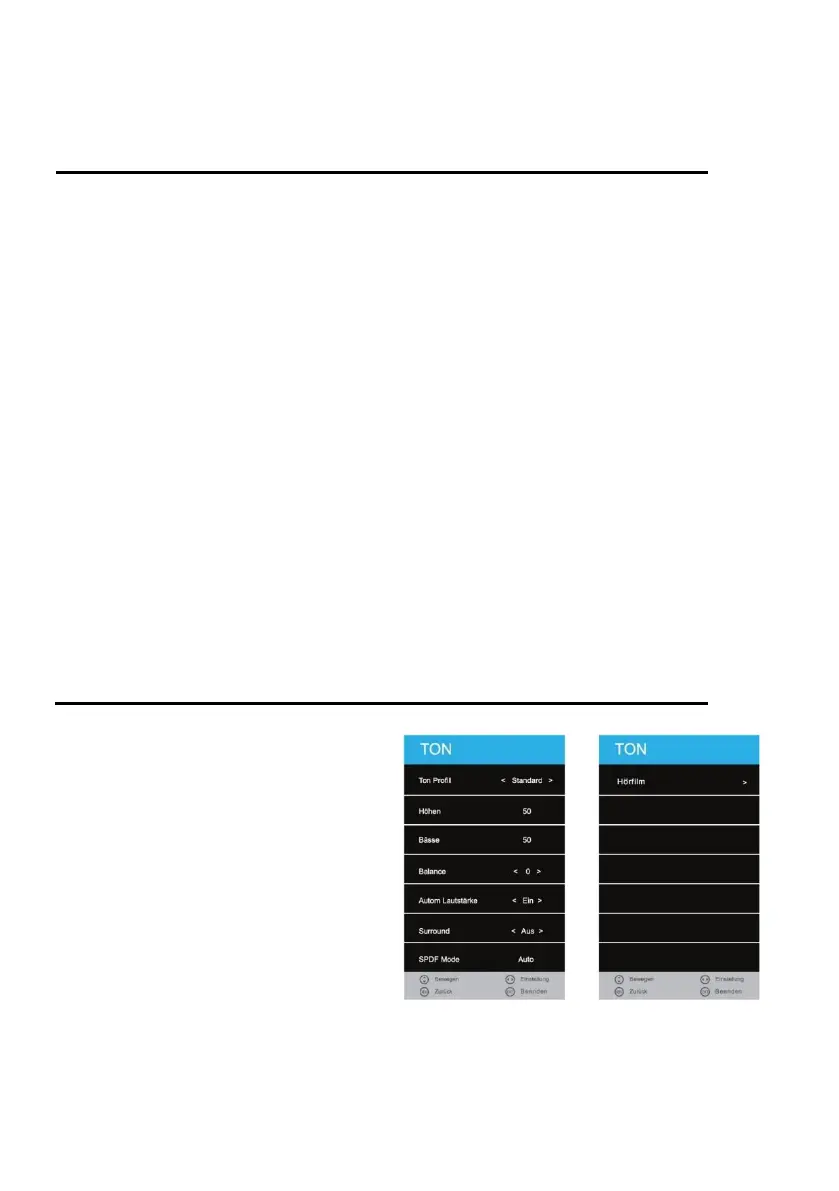
SOUND MENU
1. Press the [MENU] key on the remote
control.
2. Press the [▲ ▼ ◄►] buttons to
navigate in the menu.
3. Select the menu item "SOUND" and
press the [OK] key.
4. In the menu, use the [◄► ▲ ▼]
buttons to navigate.
5. Confirm the entry with the [OK] key.
6. Press the [MENU] key to return to the
previous menu.
7. Close the menu with the [EXIT] key.
Note:
Treble and bass are only available in
the sound profile "PERSONAL".
If an audio device is plugged into the headphone jack, the integrated loudspeakers are muted.



 To Next Page