SOUND MENU
The following selection and setting options are available in the menu:
Sound Mode: Standard / Music / Movie / Sports / Personal
Treble: Change the value to adjust the heights to your listening needs. The
menu item is only available
in the "Sound Mode
Personal".
Bass: Change the value to adjust
the bass to your listening
needs. The menu item is
only available in the "Sound
Mode Personal".
Balance: Regulates the audio output
of the left and right
speakers.
The left or right speaker can
also complet be switched
off.
Auto Volume: On / Off.
Surround Sound: Off / TruSuround
SPDIF-Mode: Off / Auto / PCM
AD Switch: Off / On
AD Volume: Adjust the volume for the
AD settings.
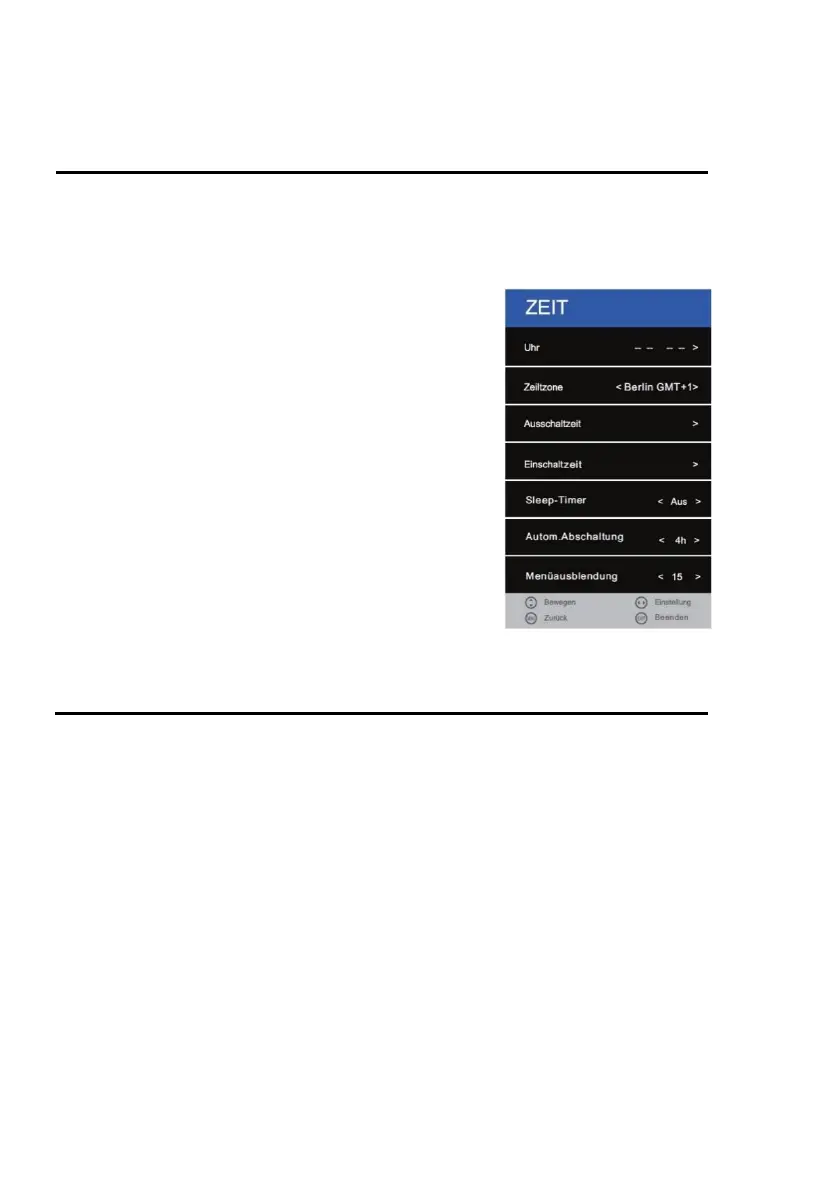
TIME MENU
1. Press the [MENU] key on the remote control.
2. Press the [▲ ▼ ◄►] buttons to navigate in the menu.
3. Select the menu item "TIME" and press the [OK] key.
4. In the menu, use the [◄► ▲ ▼] buttons to navigate.
5. Confirm the entry with the [OK] key.
6. Press the [MENU] key to return to the previous menu.
7. Close the menu with the [EXIT] key.
Note:
The menu item Clock adjusts itself automatically and if a cable / satellite / antenna signal is present.
The following selection and setting options are available in the menu:
Clock: Automatic adjustment when an input signal is present
Time Zone: Set the time zone according to your whereabouts.
Off Time: Set the automatic switch-off time "On" or "Off".



 To Next Page