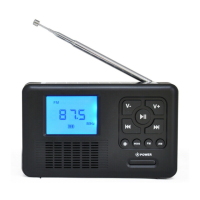
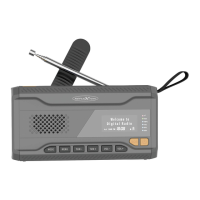
9
1. / MODE - Power on.
- Power off.
- Switch UKW and DAB.
2. INFO/MENU -
Show various information.
- Open device menu.
3. PRESET - Save station as preset
- Open preset list.
4. ENTER - Confirm menu items.
- Start channel search.
5. VOL – - Volume down.
6. VOL +
- Volume up.
7. CH –
[DAB]
- Previous DAB transmitter
[FM / UKW]
- Reduce frequency.
- Menu control left
8. CH + [DAB]
- Next DAB transmitter
[FM / UKW]
- Increase frequency.
- Menu control right
9. DISPLAY
- Show display information.
10. ANTENNE - Antenna for alignment for radio
reception.
11. LAUTSPRECHER
- Music output.
12. DC 5V
- Only for charging the device.
13. LADEANZEIGE
- Red when charging.
14. KOPFHÖRER BUCHSE
- 3,5mm Headphone output.


 To Next Page