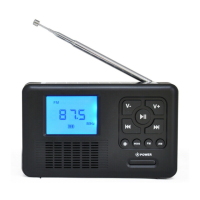
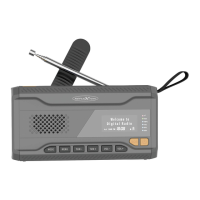
11
FM (FM) MODE
To switch to FM mode, press the button " / MODE (1)" until the
display shows "FM mode".
Note: The reception depends on the location.
SET FM TRANSMITTER
1. Press the "CH- / CH + (7/8)" button repeatedly until the
desired radio frequency is shown in the display.
FM (FM) TRANSMIT SEARCH
1. To start the search, press and hold the "ENTER (3)" button
for approx. 3 seconds.
2. The radio stations found are stored in preset memory
locations 1-20.
3. When the scan is complete, the unit wi
ll start playback with
the first saved radio station (P01).
FM (FM) MANUAL TRANSMIT SEARCH
1. Press and hold the "CH- / CH + (7/8)" button for about 3
seconds.
2. The unit will search for the next available radio station.
3. If a station was found, the search stops.
4. The station is not stored automatically.
SAVE FM (FM) TRANSMITTER AS PRESET
1. Set a radio station to be saved as a preset.
2. Press and hold the "Preset (3)" button for approx. 3
seconds.
3. Use the "CH- / CH + (7/8
)" buttons to select the desired
memory location ("P01-P20").
4. Press the "ENTER (4)" button to save the station.
5. Repeat steps 1-4 until the desired stations are saved as a
preset.


 To Next Page