GB
5
5. : Next track.
6. : Previous track.
7. AM: AM mode.
8. FM: FM mode.
9. MODE: Bluetooth, USB, Micro SD card mode.
10. POWER: Device power (on / off).
11. LIGHT: Flashlight function (on / off).
12. TUNING: Set the FM/AM frequency..
13. PHONE: 3.5mm headphone jack.
14. CHARGE: Lights up when the device is charging.
15. 5V IN: Charging socket for the battery (5V / 1A).
16. USB: USB socket for music playback.
17. TF: Micro SD slot for music playback.
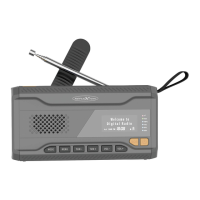
18. Telescopic antenna: For radio reception.
19. Hand crank: For charging the integrated battery.
20. Battery compartment: For battery operation (4x AAA).
21. Radio stand: For the stable position of the device.
22. Flashlight: For illuminating in the dark.
BASIC FUNCTION
Turn on a device
1. To switch on the device, press and hold the Power button for approx. 3 seconds.
Switch off the device
1. To switch off the device, press and hold the power button for approx. 3 seconds.
Select mode
1. To select the mode, press one of the following keys.
MODE: Bluetooth, USB, Micro SD card mode
FM: FM mode
AM: AM mode
2. If you have pressed the corresponding key, you will hear an announcement of the
selected mode.
Note:
The USB and micro SD card mode can only be selected if a USB stick or
micro SD card is inserted.
If a USB stick or micro SD card is inserted, the mode changes automatically.
Adjust the volume
To adjust the volume, press the V- or V+ button until the desired volume is reached.


 To Next Page