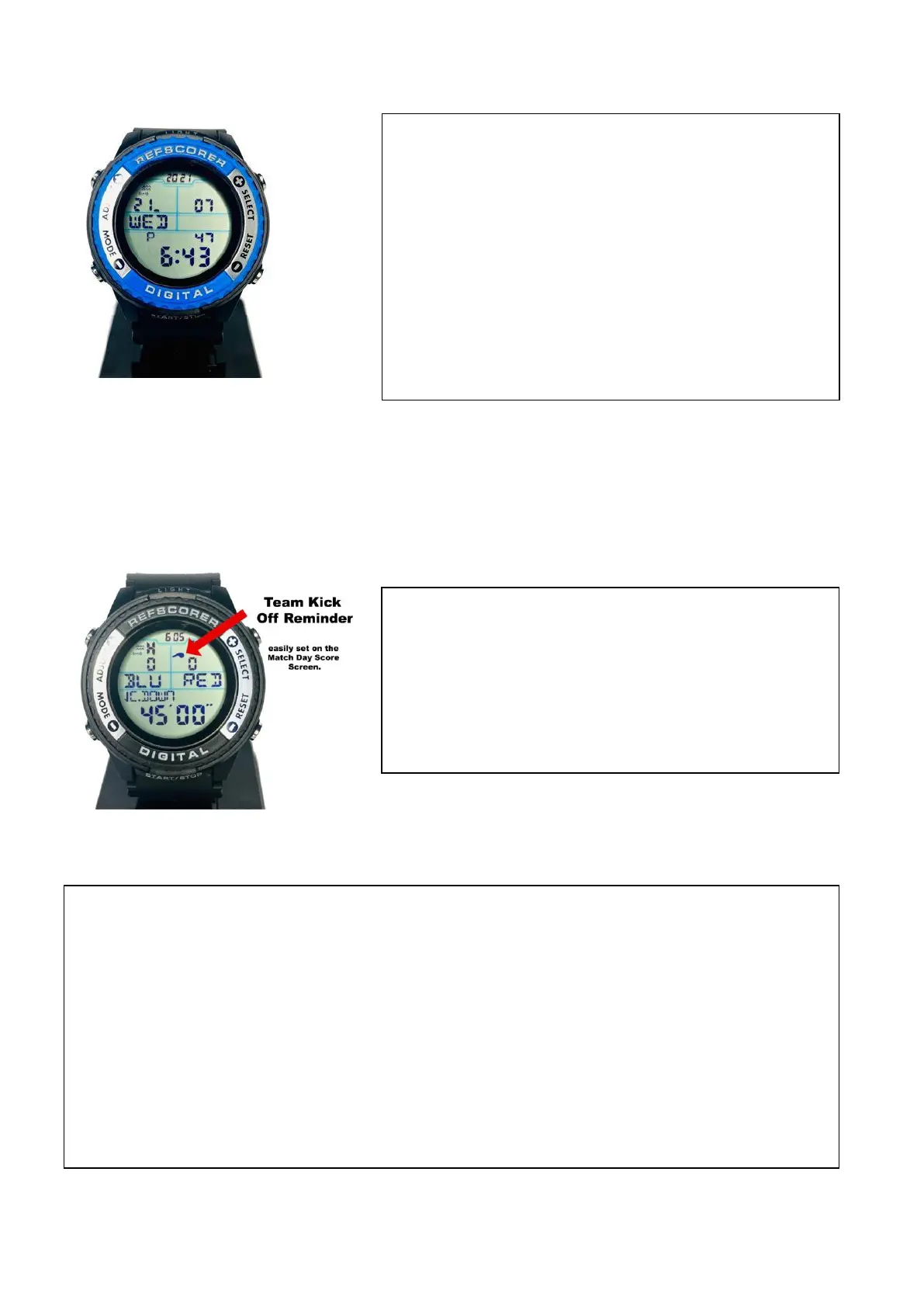
NORMAL TIME MODE/SCREEN
REFSCORER MATCH DAY SCORE MODE/SCREEN
The Normal Time Mode/Screen allows you to
set the Time - Date, Day, Month, Year, choose
12/24 Hour Format, and even have an hourly
chime alert or toggle the button sound on/off.
Hold the ADJUST button for 3 seconds and then
the screen will flash. Scroll through the features
pressing the MODE button and press SELECT and
RESET to change the values.
Team Kick Off Reminder – Select the Home or
Away Team, smartly indicated with the whistle
icon for whichever Team wins the Kick Off of the
match, simply by pressing ADJUST for the Home
Team or SELECT for the Away Team. Easy!
Count-Down, Count-Up or Count Continue Timers – Select your choice by simply
pressing the RESET button.
Preset Match Timers – Select from 3, 5, 10, 12, 15, 20, 25, 30, 35, 40, 45, 60 and 90
minutes. Hold the SELECT button for 3 seconds and then the screen will flash. Scroll
through the Preset Timers by pressing the START/STOP button until you find your
choice. Press the ADJUST button to lock in your choice and return to the Match Day
Score Mode/Screen.


 To Next Page