Output Connections
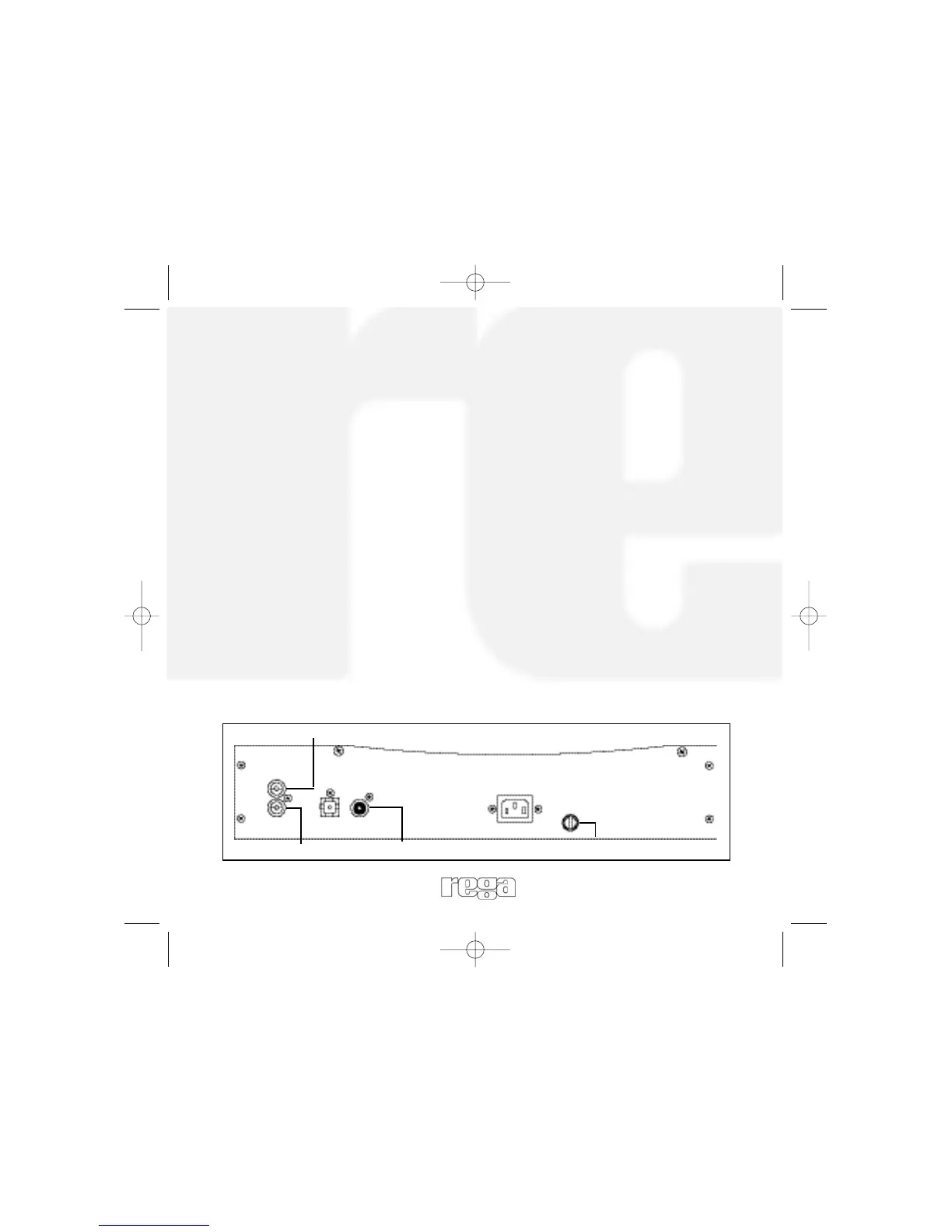
Outputs are made via RCA (Phono) type connector and the ‘Tos-link’
optical connection. The sockets on the REGA products are clearly
marked to help identify them.
Line Out: For output to an audio amplifier.
Right: Always the lower row and marked in RED.
Left: Always the upper row and marked in WHITE.
CAUTION: SOME AMPLIFIERS AND INTERCONNECTS HAVE BLACK COLOUR
CODING FOR THE LEFT CHANNEL.
Digital Out: for output to digital components such as D.A converter,
digital processor, DAT, or MD.
Always check that the connecting component is compatible with
44.1k coaxial S/PDIF input)
IMPORTANT: ALWAYS TURN OFF THE PLAYER WHEN CHANGING LEADS.
Rear Panel Connections
RIGHT CHANNEL
OPTICAL
OUT
IEC
LINE OUT
White
Red
Black
5
LEFT CHANNEL
DIGITAL
OUT
Fuse


 To Next Page