2015-03-05 7 1511647
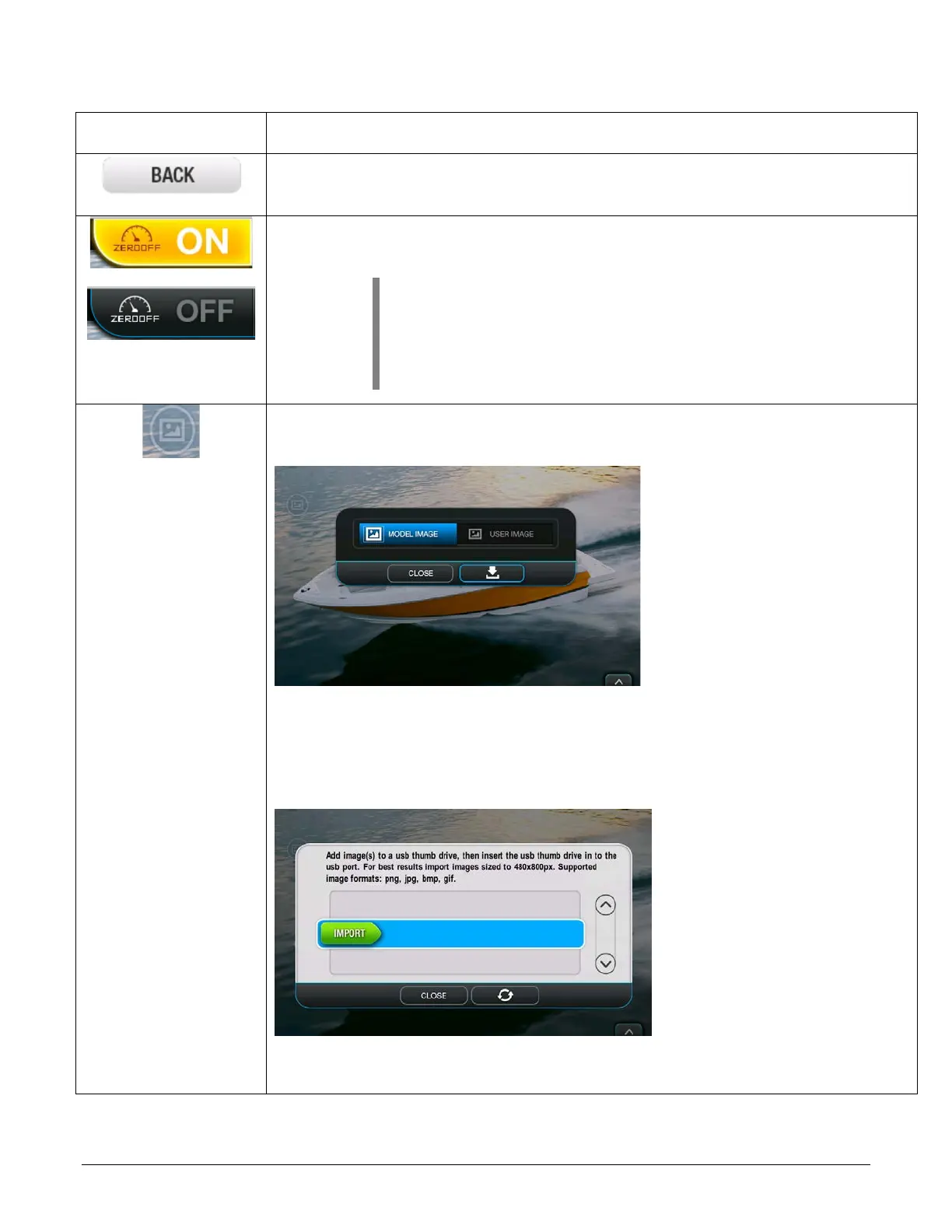
BACK – Touch this to move to the previous screen. The changes will be
saved.
ZERO OFF – Touch this to turn ZERO OFF on or off. This function is found
in the upper middle of every page of the display (except the Main Menu).
NOTE: When cruise is turned OFF, the driver must pull
the throttle back slightly. This shows throttle authority. It
must be done in order for the system to release the
cruise set point and return to speeds not governed by
the Zero Off commanded speed.
SCREEN IMAGE EDITOR – Touch this area of the screen to change the
screen image. The following screen will appear:
Model Image – can be changed per the boat that is selected in Dealer
Settings.
User Image – Touch User Image and then the download button. The
following screen will appear:
Follow the instructions to upload a saved image from a USB drive.


 To Next Page