2015-03-05 8 1511647
Quick Access Key Features
This section describes the features accessed through the Quick Access Keys located to the
left and right of the display.
Stereo Feature
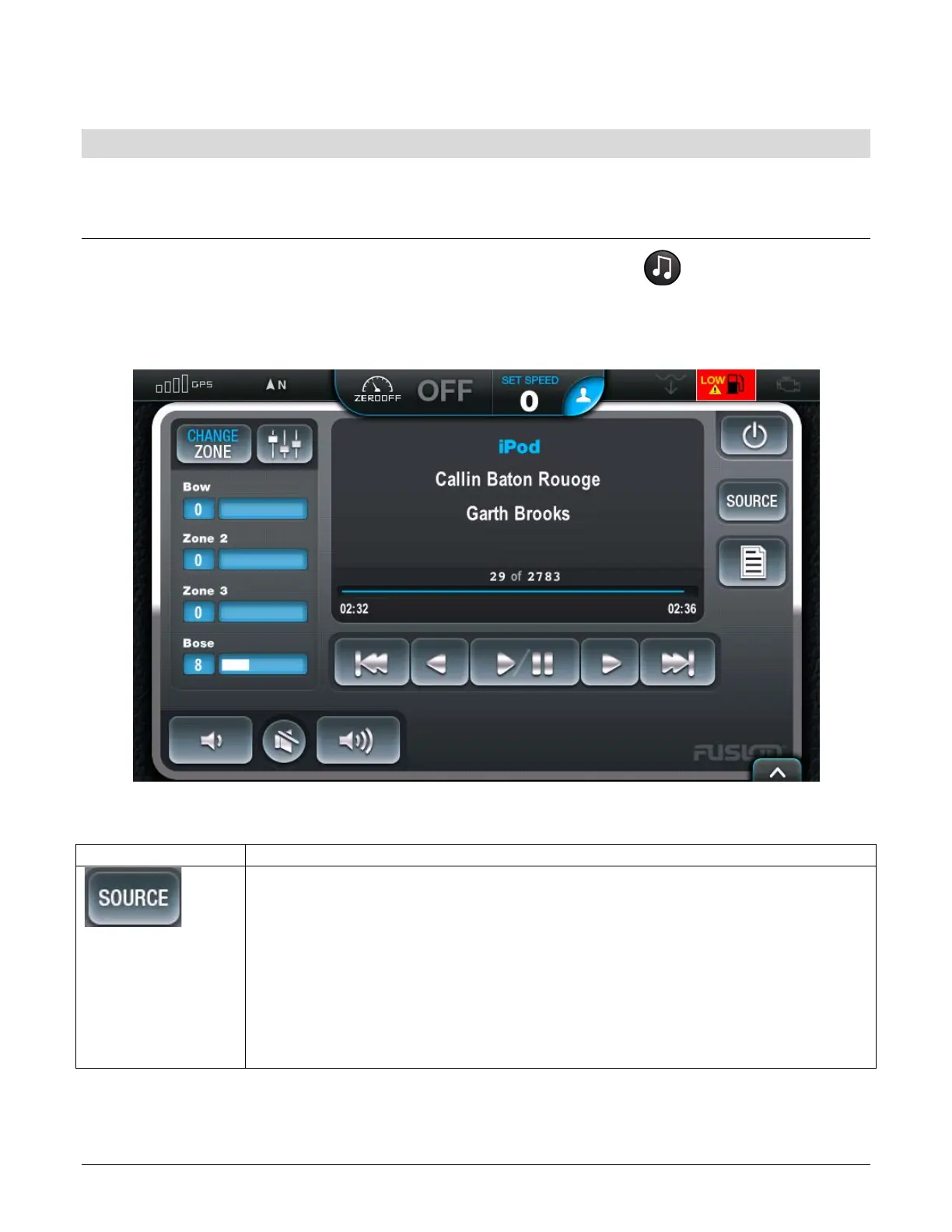
Stereo Display can be accessed by pressing the Quick Access Key
This feature provides universal control to the stereo mimicking all the controls of a standard
remote control. This includes iPod and Thumb Drive music.
Stereo - Touch Commands
SOURCE – Touch this to select a connected source. RegalVue supports
the following devices:
• FM radio
• AM radio
• Sat
• iPod
• DVD
• VHF
Touching and holding [SOURCE] will turn the device On or Off.


 To Next Page