EasyManua.ls Logo

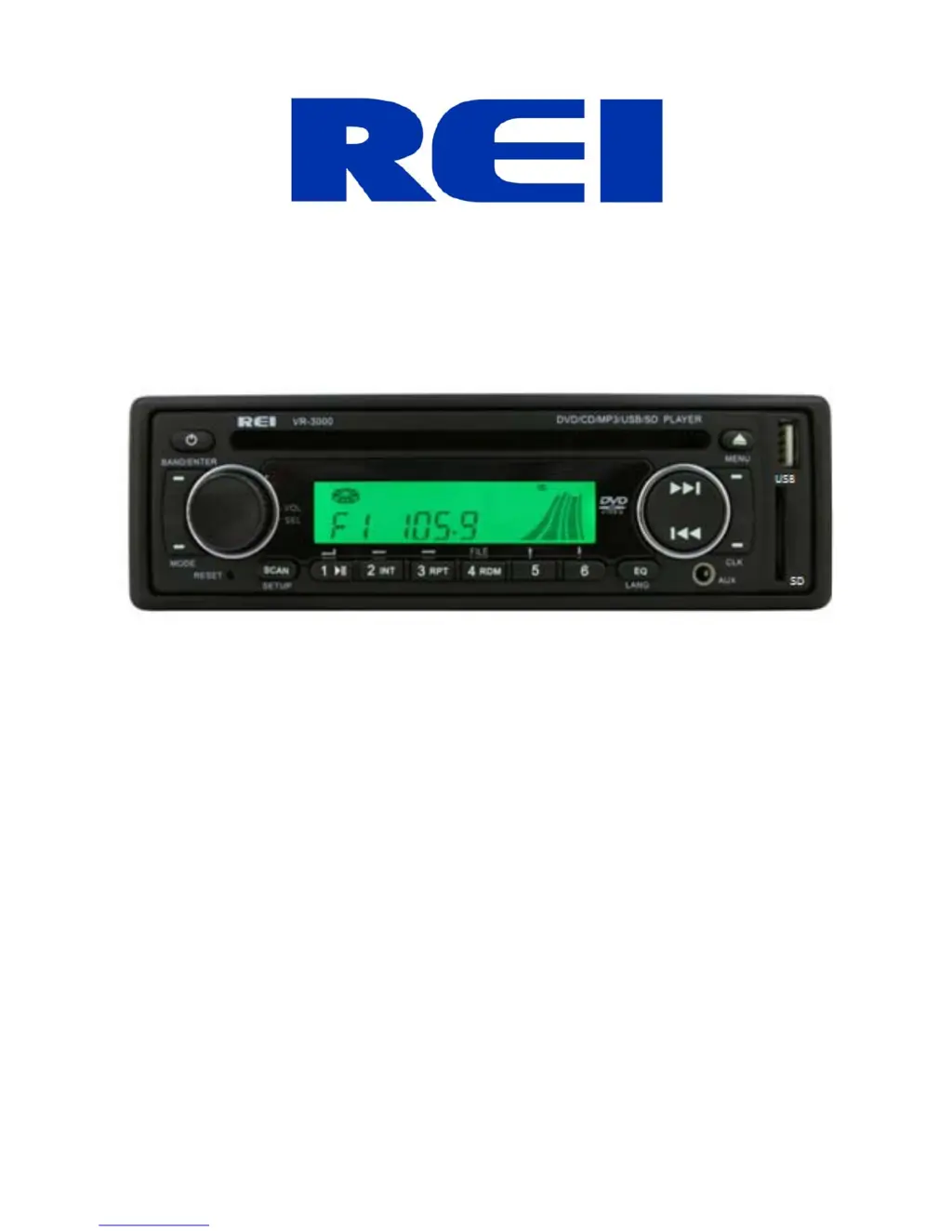
REI VR-3000 - User Manual

REI VR-3000
22 pages
Print Icon
To Next Page IconTo Next Page
Loading...
AM/FM/DVD/CD/MP3 Receiver with USB/SD & Auxiliary Inputs
3 Built-in Microphone inputs for PA Announcements
Installation/Operation Manual
50W x 4 VR-3000

Questions and Answers

  • C
    Christopher StarkJul 31, 2025
    Why REI VR-3000 Car Stereo System speakers have no sound?
    • J
      Jill EnglishJul 31, 2025
      If your REI Car Stereo System speakers aren't producing sound, the issue might stem from several causes: the speakers might not be properly connected, the speaker wires might have bad splices, the speakers could be shorted to ground, or the total speaker load might not be within 4-8?/ch. To resolve this: * Connect the speakers securely to the harness. * Check all spliced wires for integrity. * Verify that the speakers are not shorted to the chassis. * Confirm that the total speaker impedance is correct.
  • R
    Ryan RamosAug 4, 2025
    What to do if my REI VR-3000 power light does not turn on?
    • E
      Emma LopezAug 4, 2025
      If the power light on your REI Car Stereo System isn't turning on, it could be due to several reasons: there might be no power to the yellow wire, no power to the red wire, or a blown fuse. Here’s how to troubleshoot: * Check for ACC/BATTERY voltage with a multi-meter. * Inspect the fuse. * Press the RESET button.
  • C
    cooklindseyAug 8, 2025
    How to fix REI VR-3000 when DVD stops after loading or Digital Media says “Unsupported Video”?
    • C
      Christopher WebbAug 8, 2025
      If your REI Car Stereo System DVD stops after loading, or the digital media displays “Unsupported Video”, it's likely due to the media being an unsupported file type or the DVD not being a region 1 Coded Disk. To address this: * Encode the media with a supported file type. * Ensure the disc has been finalized. * Consider using different software.
  • D
    Daniel HallAug 12, 2025
    What to do if there is no video output on REI Car Stereo System monitors?
    • R
      ronaldaliAug 13, 2025
      If you're not getting any video output on your REI Car Stereo System monitors, possible causes include: the video output BNC cable is not connected, the video monitors don’t have power, the video signal is not the right format, or the video trigger is set to OFF. Here’s how to troubleshoot: * Reconnect the video out cable. * Confirm that the monitors have power. * Press the SETUP button and change the System option to NTSC or PAL. * Change the VIDEO TRIGGER to ON in the SETUP menu.
  • N
    nicole26Aug 16, 2025
    Why does my REI VR-3000 Car Stereo System DVD require a PASSWORD for playback?
    • M
      Manuel WilsonAug 17, 2025
      If your REI Car Stereo System DVD requires a password for playback, it's likely because the disc is not authored to skip trailers and the start menu automatically. To resolve this, enter the SETUP menu and scroll to the DISC menu. Then, turn the AUTOPLAY to OFF.
  • N
    Nicole DillonAug 21, 2025
    Why Public Address can NOT be heard over REI VR-3000 Car Stereo System speakers?
    • J
      Jennifer WilliamsonAug 21, 2025
      If the Public Address system can't be heard over your REI Car Stereo System speakers, it might be due to the microphone volume level being set to “0”, the microphone being plugged into the wrong input, or using the wrong microphone type. To fix this: * Turn the volume up when the LCD display’s MIC 1 or MIC 2. * Check that the correct microphone type is connected.
  • B
    brian80Aug 26, 2025
    Why does the LCD Display say MIC /MIC 1/ or MIC 2 and front controls are locked on my REI VR-3000 Car Stereo System?
    • S
      Samantha HillAug 26, 2025
      If the LCD Display on your REI Car Stereo System shows MIC /MIC 1/ or MIC 2 and the front controls are locked, it indicates that the PA system is triggered. To resolve this, remove the microphone connections and verify correct pinning, or replace the microphone.

Summary

Controls and Indicators

Front Panel Controls Overview

Identifies and explains all buttons, knobs, and displays on the front unit panel.

Front Panel Input Jacks

Locates and describes the front auxiliary audio input and SD card slot.

Unit Operation

Power, Volume, and Mode Control

How to turn the unit on/off, adjust volume, select bands, and change modes.

Radio Tuning and Presets

Methods for scanning stations, previewing, and setting radio presets.

Media Playback and File Management

Using preset buttons for playback and navigating media files on source devices.

Advanced Operation Functions

Using EQ, language settings, tuning, and auxiliary inputs for enhanced operation.

Radio System Menu Operations

Configuring display options, RDS, and other system settings via the menu.

Special Features

Radio Station Lock-Out

Restricting AM/FM playback access using a personal code and preset stations.

Public Address (PA) System

Operation of the three PA microphone inputs, including priority and volume control.

Remote Control

Remote Control Operation

Detailed guide to the functions of each button on the wireless remote control.

Setup Menu Configuration

System and Radio Setup

Configuring video output format (NTSC/PAL) and radio band modes.

Disc and Video Settings

Managing disc language options and default settings for playback.

Video Adjustments and Aspect Ratio

Adjusting video parameters and selecting the correct TV aspect ratio.

Installation and Connectivity

Wiring Connections Diagram

Illustrates rear panel connections for power, speakers, microphones, and triggers.

Supported Media File Formats

Specifications for MP3, WMA, MPEG-4, DivX, and MPG file compatibility.

Installation and Removal Procedures

Step-by-step instructions for mounting and removing the radio unit.

Troubleshooting and Specifications

Troubleshooting Common Problems

Solutions for common issues such as no power, no sound, or video display problems.

General and Detailed Specifications

Key electrical, power output, and component performance specifications.

REI VR-3000 Specifications

General IconGeneral
BrandREI
ModelVR-3000
CategoryCar Stereo System
LanguageEnglish