Need help?
Do you have a question about the Reichert OptoChek Plus and is the answer not in the manual?
Lists critical safety warnings regarding injury, death, and proper usage of the instrument.
Covers precautions against product damage, electromagnetic compatibility, and unauthorized modifications.
Explains various symbols used on the instrument and their meanings.
Introduces the OptoChek Plus and provides contact details for support.
Describes the intended purpose and conditions for use or non-use of the device.
Details the steps for safely removing the instrument from its packaging and identifying components.
Lists included and optional accessories for the instrument.
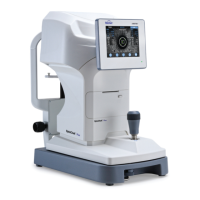
Provides a labeled diagram of the instrument's components and their names.
Explains the meaning of various icons and the function of control buttons.
Details the connection and configuration for data output via RS232C.
Advises on IT network risks and provides safe transportation procedures.
Introduces configurable settings and measurement parameters like Step, VD, IOL, CYL.
Configures print formats, output devices, data display, auto-print, reliability, and pupil size.
Configures display of residual astigmatism and working distance.
Adjusts target light, LCD brightness, sleep mode duration, baud rate, and tone.
Manages practice details for printouts, and patient ID settings.
Sets language, date/time formats, and allows resetting to factory defaults.
Guides through installing the unit, removing protectors, connecting power, and loading printer paper.
Lists measurement modes and details patient positioning and instrument alignment for accurate readings.
Describes measurement modes, screen layouts, and navigation options.
Explains how to display, navigate, print results, and manage the power saving mode.
Provides an example of a printout and labels its various data fields.
Details the procedure for measuring the base curve of hard contact lenses using the Model Eye.
Offers advice and best practices for obtaining accurate measurements from patients.
Details how to replace printer paper (referencing operation) and safely replace blown fuses.
Explains chinrest liner replacement and lists power cord part numbers.
Describes how to verify accuracy using the Model Eye and its tolerance data.
Gives instructions for cleaning the instrument's exterior and optical parts.
Lists common error messages, their probable causes, and possible solutions.
Provides solutions for common symptoms like screen not turning on or printer issues.
Details ranges and steps for refractive, corneal, and pupil measurements.
Covers printer type, monitor size, positioning ranges, and output interface.
Provides size, weight, electrical details, and operational/environmental conditions.
Information on product disposal and obtaining software revision details.
Details classifications for electrical shock protection, water resistance, and flammable atmospheres.
Declares compliance with RF emissions and harmonics standards.
Details immunity tests and compliance levels for various electrical phenomena.
Specifies RF immunity requirements and guidance on separation distances.
Provides tables and equations for calculating safe separation distances from RF sources.
Outlines the one-year warranty against defects and conditions for coverage.
Covers patent infringement defense and procedures for filing shortage/damage claims.
Placeholder for user notes.
 General
| Category | Medical Equipment |
|---|---|
| Power Supply | 100-240V AC, 50/60Hz |
| Resolution | 0.01D |
| Measurement Time | Less than 1 second |
| Display | Touchscreen LCD |
| Connectivity | USB |

 To Next Page